User Profile

cjdonnell
Brass Contributor
Joined Feb 22, 2022


User Widgets
Recent Discussions
Teams Q&A report
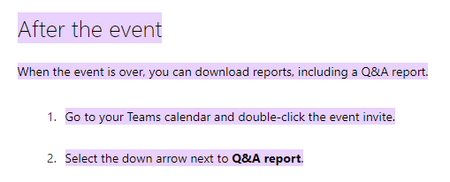
We have a large Teams meeting coming up where Q&A will be used. The CEO is requesting to have a report of all the Q&A questions submitted. The below Microsoft article says that it should be available but we aren't seeing it. What are we missing? https://support.microsoft.com/en-us/office/moderate-a-q-a-in-a-live-event-in-microsoft-teams-decfaeb1-fb8d-46bb-b296-efd2c7a3f430#:~:text=After%20the%20event,arrow%20next%20to%20Q%26A%20report.601Views0likes0CommentsRe: Removing a Meeting in a Teams Channel when the organizer is gone
Unfortunately, we just deleted the calendar and re-created it - which really wasn't ideal. I think we may've been able to delete from the Group mailbox calendar. It took us a while but we were able to unhide the group that the Teams created.58KViews0likes2CommentsChanging settings on Teams Meeting Recording
With the new auto-expiration of Teams Meeting recordings, I see that you can manage the expiration settings and permissions in OneDrive Online > Recordings but are there other ways to manage these? like File Explorer view of OneDrive files or Teams? I've searched the internet and MS site but can't seem to locate the answer.1.8KViews1like1CommentRe: Ideas to get all internal Digital Champions together
We held Champion meetings to define their role which was to be an advocate and share information about O365 so tips & tricks, upcoming features, etc. were shared. When it was a large group, they tended to not speak up. We held some smaller group and one-on-one conversations with some of the champions and even did a focus group of sorts with volunteer users that included questions that were not skewed for the answers you wanted to hear. Look up The Mom Test (https://www.youtube.com/watch?v=Hla1jzhan78)1.3KViews1like0CommentsProvisioning SharePoint Look Book templates
We have an advanced user that is requesting us to download the SharePoint Look Book templates but when we try to "provision" them, it appears it creates a new site vs. providing additional templates to users when creating a new SharePoint site. Am I missing something? Is this how it is supposed to work? Thanks.2.1KViews0likes3CommentsRe: Removing a Meeting in a Teams Channel when the organizer is gone
ChristianBergstrom Can you elaborate or provide some instructions on how this is done? I am an owner of the Team -and- I think I also have a MS admin account but not sure how to go about this. "As for the channel meetings they are created in the calendar in the underlying group mailbox (no separate mailboxes for the channels). In other words, add permission to yourself or contact your admin to assist with that so you can enter the calendar and remove it."61KViews0likes4CommentsTeams Meeting Recordings deletion after 120 days
There was a recent admin update shared about Teams meeting recordings being removed after 120 days in the link below. Some of our users have training videos and such that they would like to keep much longer than this. Is there a way to manually retain the Teams meeting recording? like can you place it in another location or rename the recording so that it won't be subject to being deleted? https://admin.microsoft.com/AdminPortal/home?ref=MessageCenter/:/messages/MC274188Solved4.7KViews0likes2CommentsTeams Owner Guide (User Guide)
Does anyone have a link to the Teams Owner Guide? I recall that there was maybe a PowerPoint template for an Owner of a new Team to share with the members of the team for setting standards and guidelines on how to utilize the Team for communications and collaboration created by Microsoft. I thought there was also an User Guide to accompany it. Help! p.s. I'm aware of the video for the go-to guide https://youtu.be/kalV4dG-oFo but looking for more of the people side guidance vs. instruction.3KViews0likes1Comment
Recent Blog Articles
No content to show