Forum Discussion

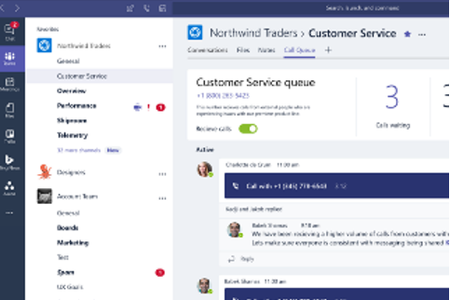
Tab in TEAMS channel for call queue
- Sep 18, 2020
Wait till next week and you're likely to see it on some Ignite session 🙂


How long did it take for your call queue to show up in your team channel? I added a call queue to a team channel and it has yet to populate after a couple hours.

It tooks less than a minute...
As I mentionned in my previous post this feature is finally not that helpfull. It does not really look like in the annoncement (https://techcommunity.microsoft.com/t5/microsoft-teams-blog/what-s-new-in-microsoft-teams-microsoft-ignite-2020/ba-p/1665600)
Here is how it is on my client. As you can see (sorry for the French interface). Only calls that I have answered are listed and I am the only one how can see missed calls. The others agents do not see missed calls and see only their answered calls. I do not know how to change this...
 Fabien_GailleMay 14, 2021Copper Contributor
Antoine HESKIA same situation than you. The agents see themselves in the history, even if another agent picked the call up. Also, I do see the history but if I refresh the channel, all is gone...
Have you been able to implement it ?
- Antoine HESKIAMay 17, 2021Brass ContributorFabien_Gaille No change since my previous message. I don't know when MS will update this feature which is far from what I was expecting
 DRplycoApr 05, 2021Brass ContributorI noticed even stranger behavior - if another agent answered the call on the queue, I see in the queue call history my name as an answering agent. At first I thought maybe its because I am admin but another agent sees his name against the call that I answered. The app shows the name of the person that is signed in as the answering agent when another agent actually answers the call. That came out scrambled, just the way the call queues are...:)
 Ben GrinstedApr 07, 2021Brass ContributorI've turned this on and nothing appeared in the Channel, even 24 hours later. Any ideas?
- DRplycoApr 07, 2021Brass ContributorAll team members/agents have assigned phone numbers, right?