Forum Discussion

SOLVED - Split data in dynamic/spill array by delimiter
- Feb 18, 2023
Perhaps you mean something like
=TEXTSPLIT( SUBSTITUTE( TEXTJOIN("@",1, B4# ), CHAR(160)&"or", "@" ), , "@" )


Kendethar The formula will be-
=TEXTSPLIT(B4,CHAR(160) & "or")
That's a new and better version of the =FILTERXML() method from before but still can't get it to insert into the middle of the spill array - my second issue.
I feel like I'm kind of on the right track with:
=TEXTSPLIT(T(INDIRECT("B"&SEQUENCE(197,1,1,1)+3)),,CHAR(160)&"or")However, this formula will just give me the first text and discard the rest. Probably because it cannot spill twice, vertically and horizontally.
Filling this formula down to row 200 will tell me how many rows the initial listing will need to take up but I don't know how to make it useful:
=IFERROR(ROWS(TEXTSPLIT($B4,,CHAR(160)&"or")),"")
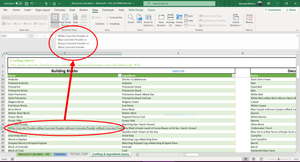
I messed around on the attached sheet with formulas but not having luck.
- SergeiBaklanFeb 18, 2023Diamond Contributor
Perhaps you mean something like
=TEXTSPLIT( SUBSTITUTE( TEXTJOIN("@",1, B4# ), CHAR(160)&"or", "@" ), , "@" )- KendetharFeb 18, 2023Iron Contributor
That is exactly what I needed! Your genius formula splits text in a single cell by a delimiter ("or" in my case) and dynamically transposes it into a running spill array (even starts at the first string in the cell and inserts it where it appeared in the range - not all condensed at the top/bottom or something).
Thank you so much! You're a gentleman and a scholar. Best of luck to you in all your Excel endeavors.
- SergeiBaklanFeb 20, 2023Diamond Contributor
Kendethar , you are welcome, glad to help