Forum Discussion

KB5124008 Known issues in this update ?
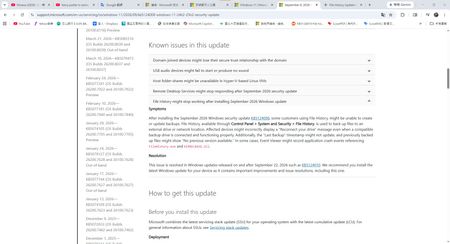

“On and after September 22” means KB5124010 and every later cumulative Windows update containing the same fix. You do not need to install intervening updates separately. The symptoms you describe—an unchanged Last Backup time and missing Previous Versions—are specifically listed in Microsoft’s known issue for KB5124008, so they are not normal File History behavior.
First, open Settings > Windows Update > Update history and confirm KB5124010 or a later cumulative update installed, then restart. Run File History and test with a new file in a protected library. Check the File History page and that file’s Previous Versions tab.
If symptoms remain on a later build, do not reformat the backup drive. Record the exact OS build, export Application log events for FileHistory.exe or KERNELBASE.dll, and submit them through Feedback Hub or Microsoft support. That would indicate the documented fix has not resolved your device.
 sheratonSep 27, 2026Iron Contributor
I've already asked a question, which you can see here: https://aka.ms/AA13mnfk.
I don't see it in the Event Viewer.