Forum Discussion

Eduardo_Bernal
Sep 19, 2021Brass Contributor
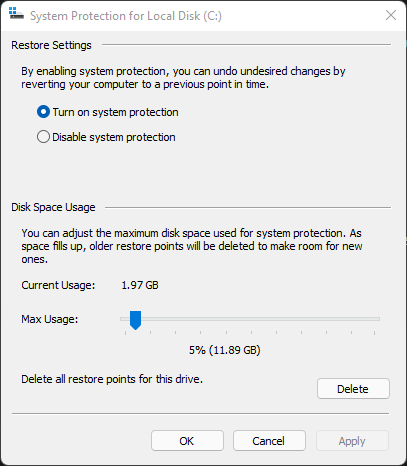
How I save or create a new restore points in another disk?
I want to save or create my restore points in another disk that there isn't a Windows installed, remember the restore points save many people must format the PC in case of some problem and I want to ...

Deleted
Sep 19, 2021https://techcommunity.microsoft.com/t5/windows-10/bd-p/Windows10space
In this space, they will help answer your query , although it does not seem possible with the help of a task scheduler to perform this.
please start a discussion there.
In this space, they will help answer your query , although it does not seem possible with the help of a task scheduler to perform this.
please start a discussion there.

Eduardo_Bernal
Sep 19, 2021Brass Contributor
I have a Windows 11, but these solutions can function in these two or more versions of Windows. If you want to help me, access this link: https://techcommunity.microsoft.com/t5/windows-10/is-it-possible-to-create-restore-points-in-another-disk-using/m-p/2765538
- EricStarkerSep 20, 2021Former Employee
Hello! You've posted your question in the Tech Community Discussion space, which is intended for discussion around the Tech Community website itself, not product questions.
We actually do have a Windows 11 space where I'm moving this post to - please post Windows 11 questions here in the future.
- Eduardo_BernalJan 04, 2022Brass Contributor
I found out one option to do one system image (one alternative to the restore points), I will test when I format, or some error/bug happen in my PC, thanks to try help me
- Eduardo_BernalJun 26, 2022Brass ContributorYeah guys, I find one good alternative to restoring points, but it still is useful when I need to restore something quickly to resolve certain problem in case I didn't find one solution