Forum Discussion

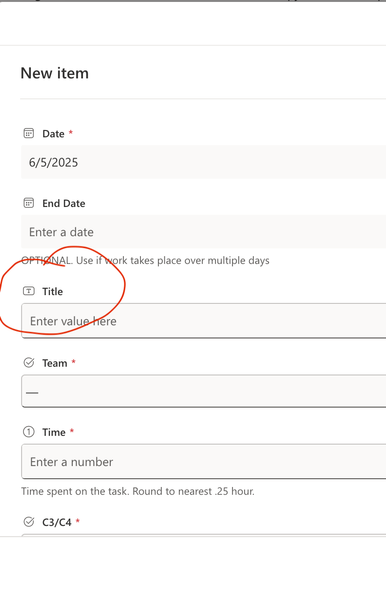
Title field in Lists - cannot make the field required
- Jun 10, 2025
Go to List Settings from the gear icon in the top right of the screen, click on the Title column and the select the Yes radio button for "Require that this column contains information" and click OK.
Rob
Los Gallardos
Microsoft Power Automate Community Super User.
Principal Consultant, Microsoft Power Platform, WSP Global (and classic 1967 Morris Traveller driver)

Go to List Settings from the gear icon in the top right of the screen, click on the Title column and the select the Yes radio button for "Require that this column contains information" and click OK.
Rob
Los Gallardos
Microsoft Power Automate Community Super User.
Principal Consultant, Microsoft Power Platform, WSP Global (and classic 1967 Morris Traveller driver)

Thank you, Rob -- that was simpler than I feared. I'm still not sure why it's not an option from the column settings, but now I know where it is. Much appreciated.