Forum Discussion

SPO List Calculated Column Link Not Displayed in Edit Form
 Nov 02, 2023
MeganP2095 sounds good. FYI, no advanced formatting can be applied to modify the Edit/New/View forms directly. PowerApps and SPFx Form Customizer are the only way to modify those. I know this since I've had to do this for clients. SPFx is for developers, and PowerApps is for power users/developers.
** Note: You don't have to use a calculated field. I was showing one possibility using a calculated field. You can use the HtmlText and manipulate insert whatever you need in there as a filter for your view.

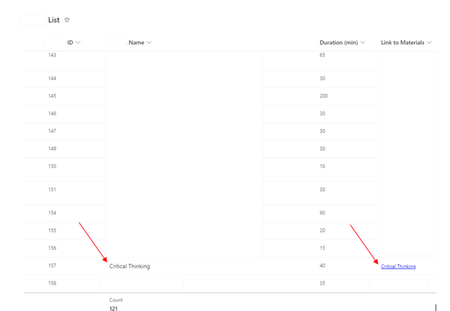
Can you show us the formula you used for calculated column (Link to Materials)?
SharePoint Online does not support using HTML in calculated column formulas.
Maybe you can achieve it easily using JSON formatting instead of using calculated column or Power Apps.
Share the current calculated column formula you are using and I will see if I can provide the JSON formatting solution for it, if possible.
Please click Mark as Best Response & Like if my post helped you to solve your issue. This will help others to find the correct solution easily. It also closes the item. If the post was useful in other ways, please consider giving it Like.