Forum Discussion

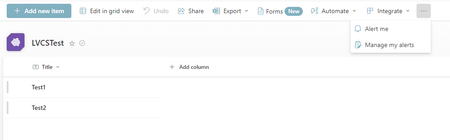
SPFx ListViewCommandSet Extension buttons are not appearing in command bar in Microsoft Lists UI

 KingaSep 06, 2024Brass Contributor
Disabling “Offline Client Availability” (https://support.microsoft.com/en-us/office/limit-sync-for-a-sharepoint-site-e17bf52b-fa5d-41cf-9eb0-d3812542424e) on the list level (not on the site level) worked for us.
However- it takes few minutes to take effect, and it seems to depend on the SPO version. So I hope there will be no regression until it is fixed permanently.
We were assured that MS sees it as a workaround and they are working on a permanent fix- KingaSep 17, 2024Brass Contributor
We just got a word from our Microsoft engineer that the issue is now solved and has been rolled out. According to our tests, the SPFx customization buttons are back, even without the above workaround (the Offline Client Availability).
We are on version 16.0.0.25304 (https://YOUR_TENANT.sharepoint.com/_vti_pvt/service.cnf)Although… seems like some team members need to use Ctrl+F5 every time. Turning Client Offline Availability off seems like a better approach.
We keep the ticket open James_BadhamSep 23, 2024Tin ContributorThank you for the update. We're still experiencing the issue when not using the workaround I mentioned previously, so it looks like the fix that has been rolled out hasn't been applied to our tenant yet. Please let us know if and when the fix is working for all of your team members. Cheers.