Forum Discussion

SharePoint List button to MS Form
- Dec 12, 2021
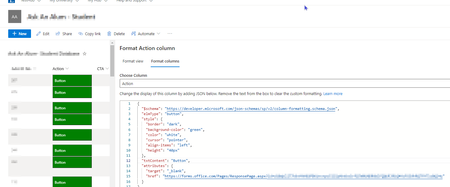
jwf1081 To create a button with hyperlink, change your JSON in below format:
{
    "$schema": "https://developer.microsoft.com/json-schemas/sp/column-formatting.schema.json",
    "elmType": "a",
    "attributes": {
        "href": "https://forms.office.com/Pages/ResponsePage.aspx?id=xxxxxxxxxxxxxxxxxxxxxxxxxxxxxxxxxxxxx",
        "target": "_blank"
    },
    "style": {
        "text-decoration": "none"
    },
    "children": [
        {
            "elmType": "button",
            "txtContent": "Go to Client Data",
            "style": {
                "cursor": "pointer",
                "width": "100%"
            }
        }
    ]
}
Additionally, you can apply other CSS styles as per your requirements. Check my answer given in this thread: Custom view rowformatter - how to make a hyperlink look like a button
Please click Mark as Best Response & Like if my post helped you to solve your issue. This will help others to find the correct solution easily. It also closes the item. If the post was useful in other ways, please consider giving it Like.

jwf1081 To create a button with hyperlink, change your JSON in below format:
{
    "$schema": "https://developer.microsoft.com/json-schemas/sp/column-formatting.schema.json",
    "elmType": "a",
    "attributes": {
        "href": "https://forms.office.com/Pages/ResponsePage.aspx?id=xxxxxxxxxxxxxxxxxxxxxxxxxxxxxxxxxxxxx",
        "target": "_blank"
    },
    "style": {
        "text-decoration": "none"
    },
    "children": [
        {
            "elmType": "button",
            "txtContent": "Go to Client Data",
            "style": {
                "cursor": "pointer",
                "width": "100%"
            }
        }
    ]
}
Additionally, you can apply other CSS styles as per your requirements. Check my answer given in this thread: Custom view rowformatter - how to make a hyperlink look like a button
Please click Mark as Best Response & Like if my post helped you to solve your issue. This will help others to find the correct solution easily. It also closes the item. If the post was useful in other ways, please consider giving it Like.