Forum Discussion

Search a File issue
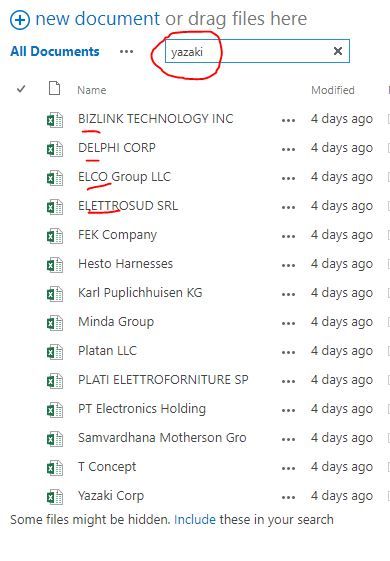
- Aug 28, 2017You can't force this (unless you build a custom search page), but you can use the phrase:
filename:yazaki
to search only the file name.
I mainly do this KQL type searching on search pages, but i believe most of it works on the individual library or list search as well.


- Aug 28, 2017Atul is correct,
When you perform a search in a document library, the keyword is going to be search in the following parts:
- File name.
- File content
- File metadata- Basia ChudakAug 30, 2017Copper Contributor
That is not entirely true. When you perform a search in a document library, the keyword is going to be search in the following parts:
- Document title- File name
- File content
- File metadata
What's not commonly known is that search is indexing a title of the document in document libraries and lists. By default the "Title" field is always indexed by search unless settings are updated to different configurations.
The most common pitfall I observe in the organizations, is that people do not include title field in their views. They have tendecy to skip updating the library/list form, especially when it's not required.
We also tend to give not very meanigful names as titles of our documents. Attempt to give your document a title using a natural language, that you and others would use when searching for it in thefuture. If you do it the right way at the list/library level, that benefit carries over when searching a site as well.
I usually work with teams and guide them how to publish internal documents to gain most value out of SharePoint.
I hope this helps.
- Brent EllisAug 28, 2017Silver ContributorYou can't force this (unless you build a custom search page), but you can use the phrase:
filename:yazaki
to search only the file name.
I mainly do this KQL type searching on search pages, but i believe most of it works on the individual library or list search as well.

