usage
902 Topics
Did MS disable access to SharePoint through File Explorer today?
Just prior to 1:00 PM Eastern today, my entire company lost the ability to access our SharePoint server through File Explorer - in unison. Our IT dept. claims that MS has been threatening to disable the feature for a while. But I'm not finding any alerts, questions, or discussions about it anywhere online; and we can't be the only ones who would have noticed if this is a Windows-wide change.256Views0likes1Comment
SharePoint file links are not working
Recently we have noticed that when you copy the link and share with others (even ourselves), the link fails to open. If we use the path link under details, that works 100% of the time. The only difference we see is there are more gibberish in the link path. Initially, we thought the PDF files were having issues but it can be any file type. Our thought is the issue is with the SharePoint site.430Views0likes2Comments
Confused about public CDN and if its required to host custom fonts
We would like to add custom fonts for our Intranet using SharePoint online. I see that to use the brand center you must enable a public CDN. We are concerned that our assets could be accessed anonymously when using the public CDN. Is there any way to enable the brand center with only assets stored in SharePoint online and not enable the CDN. Our offices are all based in the same region so CDN is not required.511Views0likes2Comments
Sites with long file path length
I have a big problem to solve with SharePoint online Teams sites where data was migrated from On-Prem file shares and there are more items with a long file path length than we are able to fix. In some directories, it has gotten better but employees didn't listen to us when we told them to start creating less nested folders, shorter file and folder name and to try and fix older directories. In the beginning around 2 years ago, we migrated everything and turned on OneDrive sync and found out quickly how that wasn't going to work for one department, so we then told them to work out of the browser which seemed to solve the problem. Well, not everyone kept working from only the browser and more and more people continued to get OneDrive sync issues. Now I have ran some reports to get the actual file path length for some of the sites. For the biggest site, I show the largest file path length at 397, and I figured 220 would give a good starting point to have OneDrive successfully sync without errors given that OneDrive and File Explorer will add extra characters in the path. Starting at 220 characters, there are more than 61,000 affected files with a path ranging from 220 - 397, and more than 107,000 starting at 200 characters. The first problem to solve is to get the department to stop naming files in this way and stop creating all the nested folders. They need to establish a better naming convention. The second problem to solve is fixing as many of these as possible, but with this many items to correct it seems impossible. Has anyone worked on a SP online site to programmatically fix something like this to reduce the path length? Even trying this with a script sounds impossible, but there has to be something that can be done to help? Right??396Views0likes1Comment
SPMT Needs True Mirror Mode and Resource Throttling
Subject: SPMT Needs True Mirror Mode and Resource Throttling SPMT incremental migration does not behave like a true synchronization or mirror operation. New and modified files are copied, but deleted, renamed, or moved files are not reconciled at the destination, often resulting in orphaned content and duplicates. Microsoft has previously confirmed this as expected behavior. Administrators have had reliable mirror-style functionality available since the circa 1990s through tools such as Robocopy. In comparison, SPMT's incremental migration capability feels incomplete for modern enterprise migration scenarios. Requested enhancements: Optional mirror mode similar to robocopy /MIR Delete destination content that no longer exists in the source Detect and process renames Detect and process moves Pre-migration analysis and dry-run reporting Configurable safeguards for deletions Additionally, SPMT appears to consume storage resources aggressively. During migrations, disk I/O activity can become saturated and disk idle time can fall close to zero regardless of migration batch size. This behavior can negatively impact file servers and production workloads. Requested performance controls: I/O throttling CPU throttling Concurrency controls Bandwidth limits Scheduling and business-hours policies Dynamic backoff based on source-server load Current behavior requires administrators to perform manual cleanup and reconciliation after incremental migrations while also managing significant infrastructure impact during migration runs. A modern migration tool should provide both synchronization intelligence and resource governance controls. Frankly, from an infrastructure perspective, your complaint about the I/O behavior is probably the stronger one. Many migration tools deliberately maximize throughput, but not providing an obvious way to cap I/O, threads, or overall system impact can be problematic in production environments. The lack of mirror semantics combined with aggressive scanning/copy behavior is what tends to frustrate admins the most.221Views0likes0Comments
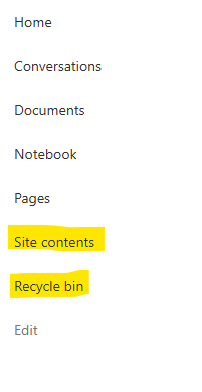
Recycle Bin and Site Content Hidden for Site Members and Site Visitors
I posted this before but made a mistake with my write up, so I am reposting. I have a requirement that the Recycle bin and Site Contents should be be hidden from the Site Members and Site Visitors. Please how can I achieve this because the Server Infrastructure activation is not working for me. Any workarounds? Please help701Views0likes1CommentCustom Formatter for Read-Only Fields conditional based on other columns
Hello! Does anyone know if it's possible with the fieldsettings, readonly formatting, to make it conditional based on a Person field? It's a multi people field if that makes a difference? I ideally want to make certain fields read only based on who is viewing it (without having to use a Power App customised form!). This is what I want (but I know the syntax is likely all wrong!) but not sure if it's possible to use an IF statement with boolean statements? { "sections": [ {} ], "fieldsettings": [ { "name": "Comments", "readonly": "=if([$People.email] == me, false, true)" } ] }858Views0likes2CommentsSharePoint Permissions Management
Over the last 3 years of managing permissions across a suite of sites, I have uncovered more new issues with the way SharePoint permissioning is designed at every turn. A few examples, before the question: If I "Share" a file or folder somewhere on the site (breaking permissions inheritance), it is very inconvenient to find it again. If I "copy link" in this one particular way, permissions inheritance is broken. When looking at site-level permissions, I see site-level permissions groups, but there could be hundreds of other users who have been added to my site(s) without my knowing. If I want to reset permissions in an area (set of folders or library), I have to do it file-by-file or folder-by folder. If I want to get an excel snapshot of - anything really - IT has to pull it and it takes a couple days. Not to mention the permissions interface is incredibly clunky. All-in-all, there seem to be a million ways to break permissions inheritance, creating an access tracking and security nightmare. AND there's no easy way to truly see and understand who has access to what or what is broken, without spending hours with IT to pull a bunch of narrow-visibility reports. So my question is: what is the best way to navigate full permissions visibility? Am I doing something wrong? Is anyone else experiencing these issues? We have resorted to having a very strict "no outsides besides a few exceptions" policy and only managing permissions at the site-level, which really hampers on the collaboration benefits that SharePoint is trying to enable. It is also very administratively intensive. One of the benefits to SharePoint is that users don't really need to understand how it works to use it, but that's becoming less and less true with the increasing lack of security we feel in the platform.706Views3likes4Comments
SHAREPOINT online performance monitoring tool, audit, backup and migration
Hi, I am looking for a tool forSHAREPOINT online which does performance monitoring ( to track details of slow pages, user hits etc.) tool, audit, backup and custom classic publisher sites migration. Pls suggest.2.6KViews0likes8Comments