Forum Discussion

Row reordering with List buttons

Hi Rob, thank you so much for your time and effort to help me create this solution for my users.
I have implemented your suggestion as you described, and it works!
This solution would be perfect if the pop-out pane to confirm the starting of the flow could be disabled or auto confirmed in some way. Any ideas there, or am I stuck with that?
I also found another solution that allows me to change the sequence number entirely through column formatting, but unfortunately it will not let me enforce unique numbers as it does not perform a swap. I am thinking that if I create some sort of linked list where ID's are held by adjacent items, I could maybe create a swap sequence mechanism using the row action "SetValue", but I have been unable to find documentation around changing another row's value. Does this spark any ideas for you?
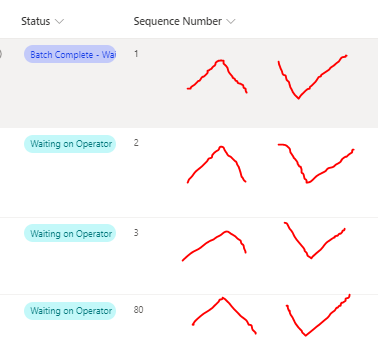
I attached a screenshot of what I mean. I figure I should be able to set the value of a column in any row if I already have the ID of that row stored in the column where the button is clicked.
Again, your help to this point is greatly appreciated!!!


CamCov "This solution would be perfect if the pop-out pane to confirm the starting of the flow could be disabled or auto confirmed in some way." That is not possible.
"I could maybe create a swap sequence mechanism using the row action "SetValue", but I have been unable to find documentation around changing another row's value." I don't know of any way to get the setValue to change a different row's value.
Rob
Los Gallardos
Microsoft Power Automate Community Super User.
Principal Consultant, SharePoint and Power Platform WSP (and classic 1967 Morris Traveller driver)