Forum Discussion

Row reordering with List buttons
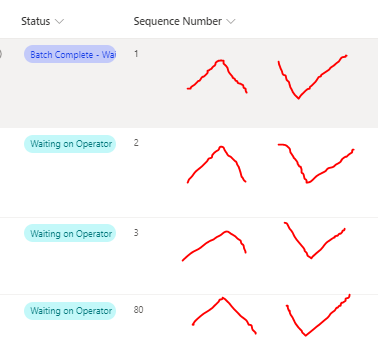

CamCov ok so I have a list as shown below which has a single line of text column for each of the SwapSequence columns. I'll give you the JSON for that later in this post as you need to create the 2 flows first, 1 to move the selected item up 1 in the sequence and 1 to move it down and swap the other item affected.
The Swap Sequence + button triggers the following flow:
The trigger is for a selected item, then the first action is to get the item. Then add a compose and select Sequence from the dynamic content box. Then add another compose to add 1 to the sequence number.
We then get the item that currently has a sequence number of seq+1 and we add a compose to take 1 away from it:
Next, add an apply to each and inside it add an update item action that updates the previous +1 item with a new sequence number that is 1 less.
Then outside the apply to each update the item you selected by adding 1 to it:
Once you've built this flow you need to add a new single line of text column to your SharePoint list and format it in advanced mode with the following JSON, changing the id in the actionParams line to the id of your flow:
{
  "$schema": "https://developer.microsoft.com/json-schemas/sp/v2/column-formatting.schema.json",
  "elmType": "button",
  "txtContent": "Swap Sequence +",
  "customRowAction": {
    "action": "executeFlow",
    "actionParams": "='{\"id\":\"cdb95289-8680-4fca-97b0-21d4645be08d\", \"headerText\":\" ' + [$Title] + '\",\"runFlowButtonText\":\"Go\"}'"
  },
  "style": {
    "background-color": "#b2eee6",
    "border-radius": "10px"
  }
}
So in running the flow we're going to click the Guadaloupe swap sequence + button which will swap it with the Cayman Islands. This is the result:
For the swap sequence down flow you need to save the flow you've just built as a copy, rename it and then go through it to do the opposite of what you did before.
Then add another single line of text column to your list and paste in the JSON but with the id of the new flow.
Come back with any questions about this.
Rob
Los Gallardos
Microsoft Power Automate Community Super User.
Principal Consultant, SharePoint and Power Platform WSP (and classic 1967 Morris Traveller driver)
 CamCovDec 11, 2023Brass Contributor
Hi Rob, thank you so much for your time and effort to help me create this solution for my users.
I have implemented your suggestion as you described, and it works!
This solution would be perfect if the pop-out pane to confirm the starting of the flow could be disabled or auto confirmed in some way. Any ideas there, or am I stuck with that?
I also found another solution that allows me to change the sequence number entirely through column formatting, but unfortunately it will not let me enforce unique numbers as it does not perform a swap. I am thinking that if I create some sort of linked list where ID's are held by adjacent items, I could maybe create a swap sequence mechanism using the row action "SetValue", but I have been unable to find documentation around changing another row's value. Does this spark any ideas for you?
I attached a screenshot of what I mean. I figure I should be able to set the value of a column in any row if I already have the ID of that row stored in the column where the button is clicked.
Again, your help to this point is greatly appreciated!!!
- Rob_ElliottDec 11, 2023Silver Contributor
CamCov "This solution would be perfect if the pop-out pane to confirm the starting of the flow could be disabled or auto confirmed in some way." That is not possible.
"I could maybe create a swap sequence mechanism using the row action "SetValue", but I have been unable to find documentation around changing another row's value." I don't know of any way to get the setValue to change a different row's value.
Rob
Los Gallardos
Microsoft Power Automate Community Super User.
Principal Consultant, SharePoint and Power Platform WSP (and classic 1967 Morris Traveller driver)
