Forum Discussion

Suzanne Hunt
Mar 22, 2018Brass Contributor
Remove columns from Upload.aspx page in Document Library
Hi Everyone,
I've added some columns to a document library to allow views to be created grouping the documents by current month, previous month etc. The problem is those fields are now showing on the upload.aspx page. I cant seem to find a way, even in SPD, to remove those columns and just show the ones we want? Is there a way to do that?
Thanks!
 DeletedMar 27, 2018
Did you try hiding columns like below from document content type
- Document Library > Library Tab > Library Settings > Advanced Settings
- Click Yes radio button under Allow management of Content Types. Click OK
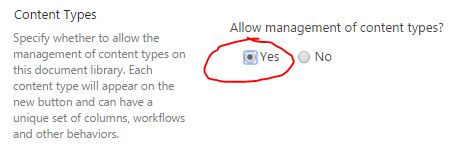
- Scroll down to the Document Content Type, click on it (Document)
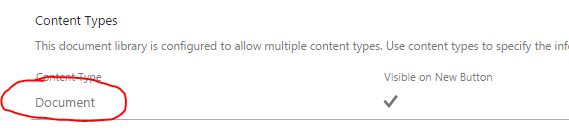
- Click on the first column you want to hide

- Choose Hidden Radio button, click OK

- Repeat above step for another column
- Both columns will no longer appear
4 Replies
- DeletedNot applicable
Can you please share us a screenshot of this issue?
Thanks
 Suzanne HuntBrass Contributor
Sure, its all the fields with an underscore in front:
- DeletedNot applicable
Did you try hiding columns like below from document content type
- Document Library > Library Tab > Library Settings > Advanced Settings
- Click Yes radio button under Allow management of Content Types. Click OK
- Scroll down to the Document Content Type, click on it (Document)
- Click on the first column you want to hide
- Choose Hidden Radio button, click OK
- Repeat above step for another column
- Both columns will no longer appear