Forum Discussion

Muli-level filter panel on document library not working
 Nov 19, 2020
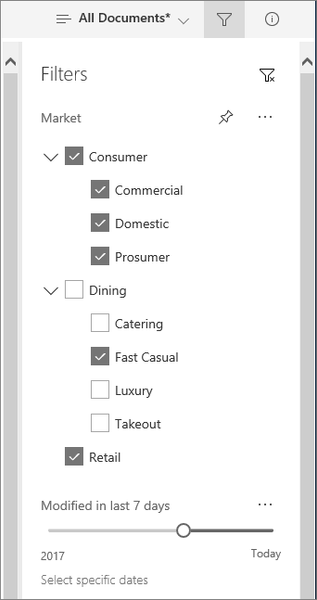
SP-userUnfortunately not, I found out that Microsoft has deprecated this view. It is now only available to see as a tree when you press see more & the menu expands.

Bonjournathan_lee
J'ai eu le même souci en voulant faire un affichage à plusieurs niveau (affichage hiérarchique selon l'arborescence des métadonnées gérées) sur le volets de filtres, mais cela ne marche pas.
Aviez-vous résolu le problème depuis, si c'est le cas pourriez-vous svp partager la solution?
Merci par avance
SP-userUnfortunately not, I found out that Microsoft has deprecated this view. It is now only available to see as a tree when you press see more & the menu expands.
- SP-userNov 19, 2020Copper ContributorThank you for your reply. Do you have a screen shot of the way it expands with a tree view when you press see more, because my filter pane didn't provide me that possibility
That means that the documentation available now for that purpose (filter pane metadata navigation) is not updated yet ?- nathan_leeNov 19, 2020Tin Contributor
SP-user I don't have a screenshot, unfortunately. The show more option only becomes visible if you have more than 6 or so in the current view selected. Below is the response from MS when I raised this to them.
Please be aware that after the modernization of the SharePoint Managed Metadata Services (MMS) update that was released with Microsoft 365 Roadmap ID57315, the default behavior of a managed metadata filter does not show in the tree view anymore, it shows in the list view. However, to see the tree view, you would click on the see all option and change the view to tree view.