Forum Discussion

fratrucc
Mar 19, 2025Tin Contributor
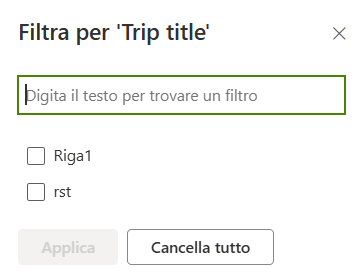
Column filter bug?
Hi all, does anyone know if this is a bug or a pretty bad feature? While trying to filter a text column users start having issues with some sort of autoselecy feature. When they write the first lett...

KashDiesel
Mar 19, 2025Iron Contributor
1. Check Column Types: Open a SharePoint list or library.
Check the column type (text, number, date, etc.) to make sure it supports filtering.
2. Clear Browser Cache: Open your browser settings and clear the cache and cookies.
Reload the SharePoint page.
3. Check view settings: Open the SharePoint list or library.
Click View > Modify View.
Check the filter settings to ensure that they are configured correctly.
4. Use another browser: Use another browser (e.g. Chrome, Edge, Firefox) to access SharePoint.
Check if the filter is working properly.