Forum Discussion

Changing design of the Office 365 Navigation bar in SharePoint?
Hi everyone,
I am building a SharePoint site for my department, and would like it to look inviting for my users.
Unfortunately I cannot seem to be able to change the looks of the Office 365 navigation bar in the top, and I would very much like to do so. Note that I am not an IT professional, or admin or anything, I just own a SharePoint site.
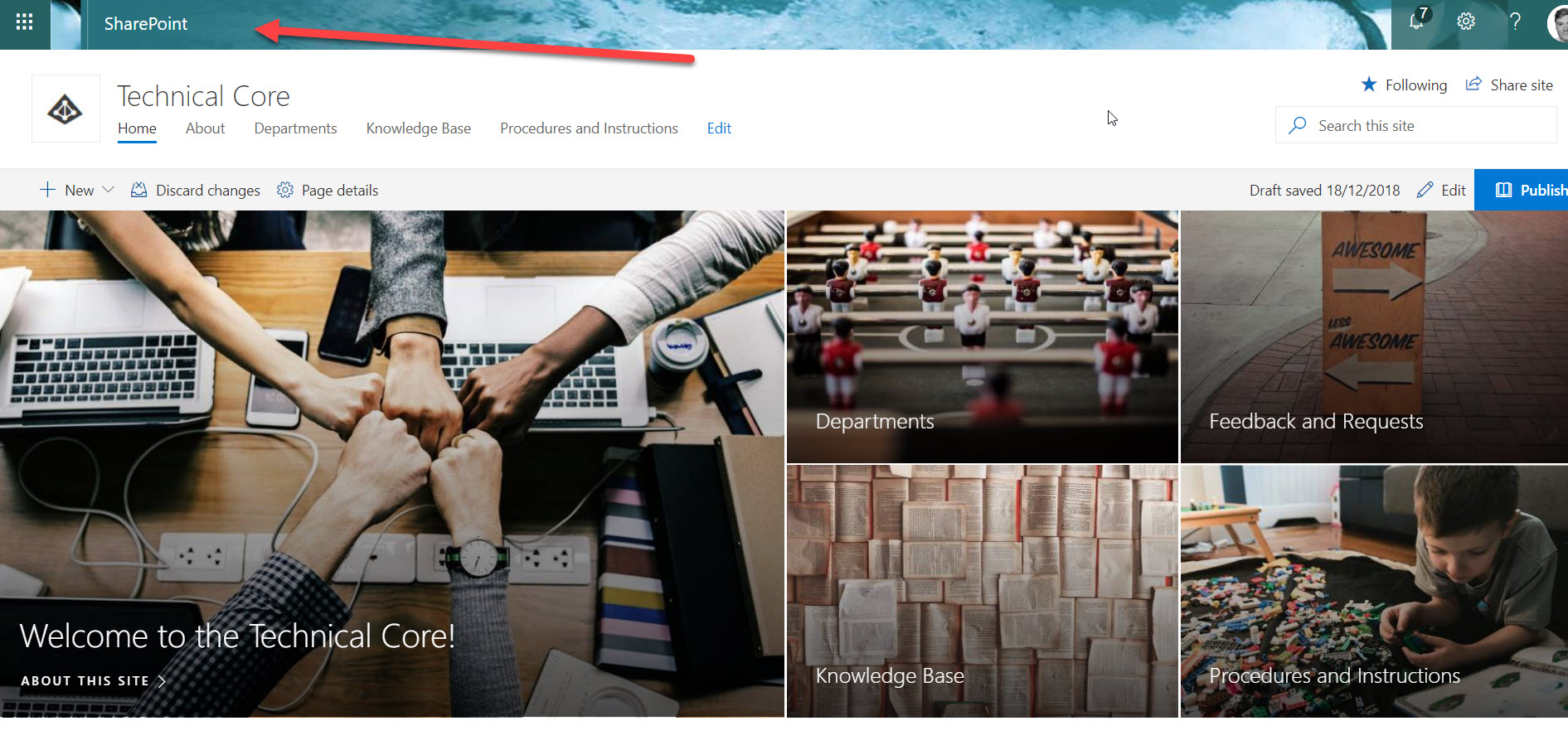
This is where I am at:
I would very much like to edit the look of that top bar, as it does not fit my design. We are basically allowed to do so for our own sites, as long as they are not subsites to our intranet.
Use the "Change the look" feature does not change the top bar:
Settings my theme under my account does not work either. It works for everything else than SharePoint though:
How can I change this? If I need to be admin of some sort, I would like the instructions for that, so I can pass on the how to, to an administrator.
6 Replies
- That is the office 365 suite bar and is tied to SharePoint. Once you change it. You give it a little time for cache to reset or try a refresh or two after a bit and it should change.
The only other time it wouldn’t is if your admin has company branding on for it and don’t allow you to change it so you may need to ask them but you said changing it worked other than SharePoint. Think you may just need to give it time to propagate to the sharepoint serveds. pandaymCopper Contributor
Where do you change it? In my profile?
- As an Admin you can change Top Navigation bar Look & Feel in the Admin Center Home Page:
- Browse the Admin Center Home Page
- Navigate to Settings -> Organization Profile
- Locate "anage custom themes for your organization" section and clic on Edit