Forum Discussion

Mac: OneDrive Couldn't Start: Please restart your computer and try again
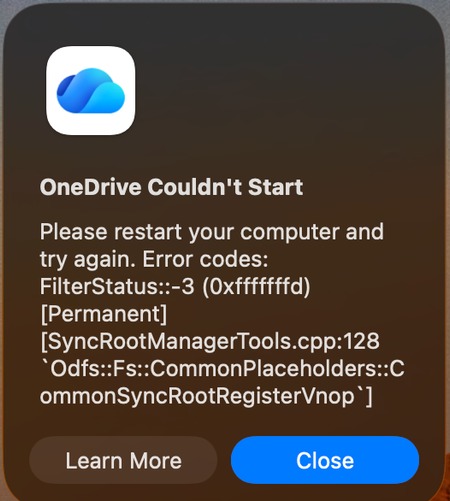

I can confirm this worked for me and several other employees, though a slightly more involved fix.
Identify what folders they have syncing before running
Step 1 — Fully quit OneDrive
Click the OneDrive cloud icon in the menu bar → Quit OneDrive
Open Activity Monitor (Spotlight → "Activity Monitor") and confirm nothing named OneDrive is still running; force-quit any strays
Step 2 — Get to the reset scripts
Open Finder → Applications
Right-click OneDrive → Show Package Contents
Navigate to Contents → Resources
Step 3 — Remove cached credentials
Double-click RemoveOneDriveCreds.command
A Terminal window opens and runs briefly, then closes
Step 4 — Run the full reset
Still in that same Resources folder, double-click ResetOneDriveAppStandalone.command
Terminal opens again and clears out local app state, sync database, and the local OneDrive folder registration
Step 5 — Relaunch and set up fresh
Open OneDrive from Applications (or Spotlight)
Sign in with the Altus account
Since you're mid-tenant-spinout, double check it's authenticating against the right tenant before you pick folders to sync
Choose sync scope (Files On-Demand vs. sync everything) and let it re-download
 JeremyGuthrieSep 18, 2026Brass Contributor
yeah, hard reset is not what I need here. :(
 ConoriscoSep 18, 2026Copper Contributor
Can confirm no issues last 24 hours so long as no sharepoint folders are synced (which defeats the purpose) as soon as more than one folder which is not in the primary onedrive is synced things start to break down, folder is linked in user folder but actual path gets ammended to add a 2 or simply duplicated string of final folder name to laughable length e.g. company name - company name - company name - company anme or company name 2 2 2 2 - I've seen it all. It's not worth the hassle - th ecompany provide it for free but given the European sovereignty movement I see a vibe shift. I use Dropbox for legacy company work and we don't have this issue. It might be only 1-2 days work but muliplied by 5-6 people the cost solution is obvious