Forum Discussion

JeremyGuthrie
Sep 14, 2026Brass Contributor
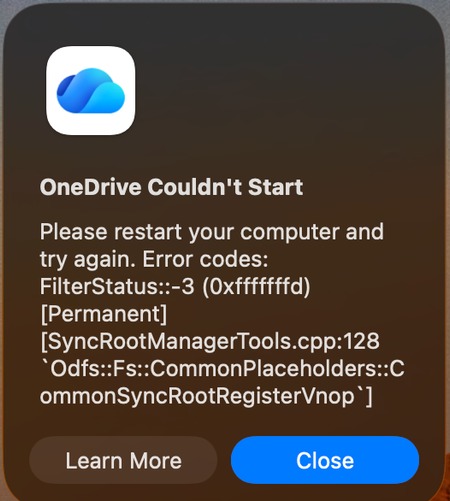
Mac: OneDrive Couldn't Start: Please restart your computer and try again
When OneDrive updated on 9/11, with build 26158.0816, I started to get this error: OneDrive Couldn't Start: Please restart your computer and try again. Error codes: FilterStatus::-3 (0xfffffffd) [P...

TimDoe
Sep 16, 2026Copper Contributor
A clean-reinstall approach helped me to get it working even at the same build 26158.0816.002 (downloaded from official Microsoft site). Files were retained, no need to worry when it offers to Erase and Connect again. Still recommend backing up.
Instruction:
1. Quit OneDrive (Activity Monitor force-quit if needed).
2. Drag OneDrive.app to Trash (don't empty yet).
3. Remove leftover support files via Terminal:
- rm -rf ~/Library/Application\ Support/com.microsoft.OneDrive
rm -rf ~/Library/Application\ Support/OneDrive
rm -rf ~/Library/Caches/com.microsoft.OneDrive rm -rf ~/Library/Application\ Scripts com.microsoft.OneDrive*
rm -rf ~/Library/Application\ Scripts/*.OneDriveStandaloneSuite
4. Restart the Mac (clears any lingering File Provider registration state tied to the old install).
5. Download a fresh installer directly from microsoft.com/onedrive (not the App Store) and install.
6. Sign back in and reconnect folder.