Forum Discussion

JeremyGuthrie
Sep 14, 2026Brass Contributor
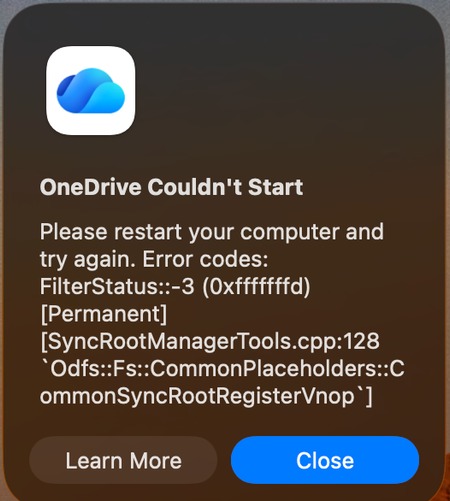
Mac: OneDrive Couldn't Start: Please restart your computer and try again
When OneDrive updated on 9/11, with build 26158.0816, I started to get this error: OneDrive Couldn't Start: Please restart your computer and try again. Error codes: FilterStatus::-3 (0xfffffffd) [P...

DanielTDS
Sep 15, 2026Copper Contributor
What worked for me was switching to the insider preview and then invoking the updater via the terminal:
"/Applications/OneDrive.app/Contents/StandaloneUpdater.app/Contents/MacOS/OneDriveStandaloneUpdater"
Fixed it in 5 mins
 DGKLBOSep 16, 2026Copper Contributor
How do you switch to the insider preview if you can't launch the app?
- DanielTDSSep 17, 2026Copper Contributor
I have four instances of the OneDrive running: one for each org and one personal.
Only one of the instances / orgs had this issue with the exact error message. So, I switched to the insider preview on a working account, then ran that command in terminal. After a while I saw OneDrive quit then reopen and the problematic account took a while to work but it restored itself fully.