Forum Discussion

Unable to remove old account sing up form Teams on Mac OS
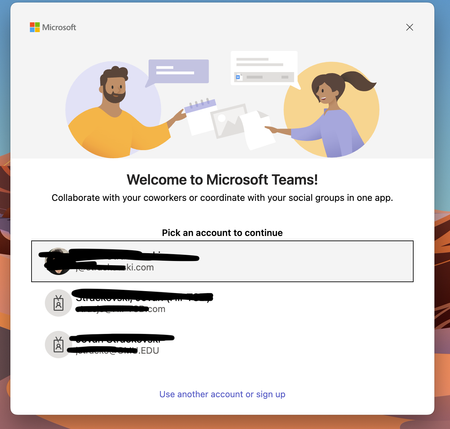

I tried following steps without any success [successful one shared at the end of the post]
- quitting the app and uninstalling it
- then deleting the cache from ~/Library/Application Support/Microsoft/
- deleting all the keys from Key Chain Access that came as a part of teams keyword search
- re-installing the app
It didn't work.
This worked
- did all the above steps
- search Microsoft keyword in the key Chain Access
- delete the keys that has com.microsoft.oneauth and com.microsoft.adalcache
This will remove the existing accounts at the startup.
Hope this helps.

This didn't entirely fix the issue for me, I also had to remove the Keychain entries described on this page:
- OneAuthAccount
- login.windows.net
- authority_map
Answer found here: https://community.jamf.com/general-discussions-2/removing-persistent-microsoft-teams-accounts-on-macos-55473


