Forum Discussion

New Teams - Video freezing
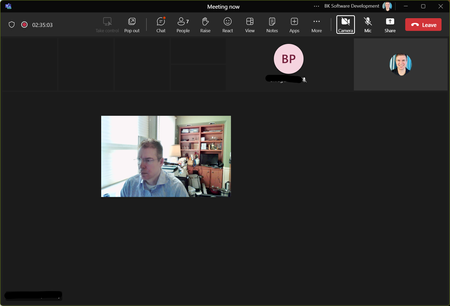


Edit: This worked once for me then the issue returned 
What fixed it for me:
- Reset new Teams via Apps -> Installed Apps -> Teams -> Advanced Options
- Uninstall both classic Teams and new Teams (and the Teams Office add-in)
- Delete the Teams folder from %AppData%
- Perform a clean install of the latest NVidia drivers
Note that if you are downloading the Teams client from the website, you'll receive the x86 version which won't provide the Outlook plugin if you are using the x64 version of Office. To get the x64 version, use this link:
https://statics.teams.cdn.office.net/production-windows-x64/enterprise/webview2/lkg/MSTeams-x64.msix
 bugoutfrNov 14, 2023Copper ContributorThank you 🙂
 jsparentNov 10, 2023Copper Contributor
Hi, I tried to remove new teams, old teams, clear cache, update to latest Nvidia studio drivers then gaming drivers then install new teams.
Still not working. Back to old teams for now.
I wish new teams would work, as it seems faster and more lightweight, but I can't use it like this right now, sadly.
- karen_dredskeNov 10, 2023Steel ContributorI don't how quickly we might get a response, but I have access to the Teams Community Council and have asked the leader of that to please have some engineers review this thread because this happened to me and several of my colleagues. Fortunately for us, the uninstall of Teams classic and sometimes a re-install of new Teams solved the problem.
If you haven't, I would suggest submitting a support ticket with Microsoft on this also. - HuguesCrepinNov 10, 2023Copper Contributor
- nExoRNov 10, 2023MCT
Uninstalling Classic Teams didn't help also for me. MOREOVER after uninstalling there is no more switch to classic, and all classic teams downloads are removed.
this is one way trip
- bugoutfrNov 10, 2023Copper ContributorUninstalling Classic Teams didn't change the problem for me 😞
 Rob_ICP_AZNov 09, 2023Brass ContributorAMD and Intel users have exactly the same issue. It's not a video driver problem with Nvidia.
- HuguesCrepinNov 09, 2023Copper Contributor
I would love to switch
testing it for months and always the same video issue freezing
this looks like related to nvidia drivers as I’m definitely not the only one struggling
- karen_dredskeNov 09, 2023Steel ContributorMicrosoft has announced that there is 100% feature parity between both versions of Teams and unless you are in a GCC tenant. . . if you need to install Teams you get new Teams by default as of last month. Come March 2024 if you haven't fully converted to new Teams, Microsoft will do it for you.
I tried new Teams and switched back until I started having these issues during meetings with classic Teams. I finally bit the bullet and switched once there was 100% feature parity. Then had issues until I uninstalled Teams classic. . . they went away once I did that.
This information on new Teams has been available in the Message Center and in the Teams Blog here in the community. I think you are safe to switch. - Rob_ICP_AZNov 09, 2023Brass Contributor
Anything that involves uninstalling my Classic Teams fallback is not a solution. I am not going to have this suddenly go belly up in a meeting and have to tell everybody hold on while I reinstall Classic Teams from scratch so we can continue. Web Teams is not an option either (unfortunately because I generally like it as much or more than Classic Teams), as it doesn't allow custom backgrounds.
Also, I am not doubting you that yours worked after this, but unless Nvidia, AMD and Intel all suck in exactly the same way at writing drivers, it's highly unlikely this issue has anything to do with video drivers and infinitely more likely the issue is with the one commonality, Teams itself.
IMO, Microsoft needs to finish development on its app and re-release when it's ready for production - as-is, this is like trying to push everyone to use Edge Canary instead of the release version. They should be more forthcoming about the state the new Teams app is in, and tell users they are trying out bleeding edge software, not pretend it's ready for prime time.

