Forum Discussion

New Teams - Video freezing
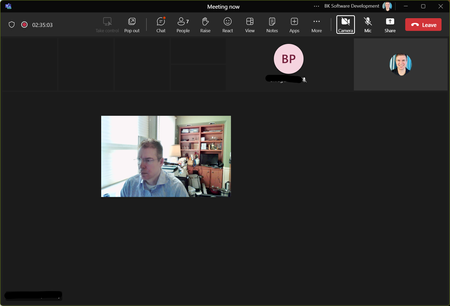

The problem is with my ASUS ROG STRIX X670-E based PC, while my HP Laptop always worked fine.
I just faced the issue again today.
- I fresh booted the PC from power on and joined a Teams meeting. No issues for like 5 minutes. Then freezing/delay started.
Vocie was fine, but the desktop sharing (receiving) and the videos (In/Out) - Closed NewTeams App and started it again. Still freezing issue.
- Made a Windows 11 Restart (without powering down) and joined a Teams meeting.
No issues. (I stayed in the meeting for over an hour. No freezing.)
Will do further testing, when I have time.

System Model Alienware Aurora R15
OS Name Microsoft Windows 11 Pro
Version 10.0.22631 Build 22631
NOTE THE PRODUCT JUST UPDATED So this references the immediately PRIOR version:
Version
You have Microsoft Teams version 24033.804.2695.4008.
You've got the latest version. It was last updated on 2/21/2024.
The client version is 49/24020205509.
I continue to have video-freezing issues, especially when content is Shared either by me or others. The CLASSIC Version works fine, but I took the extra step to remove it. I tested the functionality, and on the new version, it still freezes. I removed both the Classic and New from my machine. Then I reinstalled it. I am STILL seeing the issue. NOTE: as I said above, this is about the immediately prior version. Further, I CAN use the Browser version as a workaround.