Forum Discussion

ChananB
Sep 12, 2023Brass Contributor
New Teams - Video freezing
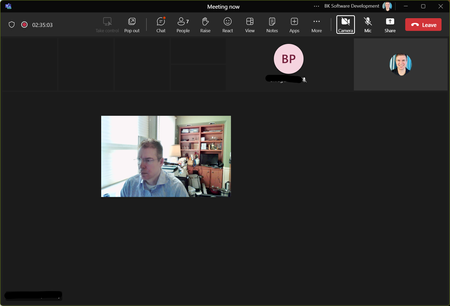
I have no issues using the "old" version of teams. The problem only occurs in the "new" version. In a meeting all incoming video turns black (including shared screens). my image "floats" in the m...

InTheLight
Dec 11, 2023Copper Contributor
Rob_ICP_AZ I am looking for Microsoft to fix the actual problem. Everything I've seen so far is a workaround. Classic Teams works fine. New Teams doesn't. It's broken for lots of people, not just a few. It shouldn't be on the customer to change something on their system to make the new Teams work.

Rob_ICP_AZ
Dec 11, 2023Brass Contributor
How, exactly, is Microsoft going to fix the behavior of another app that is causing the issue? If you looked at and understood the solution instead of rushing to blame Microsoft (something a lot of us are/were guilty of here), you'd understand that the "actual problem" is A-Volute's Nahimic trying to draw overlays on top of Teams, and you'd also see that Nahimic already has a long exclusion list for exactly this reason, because they know it doesn't play nice with a lot of applications. If there is anything for Microsoft to do, it's to push Nahimic, and the hardware vendors who use it as the basis for advanced sound effects in their drivers, to add the exclusions in the next driver update (which I would place a sizable bet on happening). Sh-- like this happens all the time in software, with literally many thousands of potential driver combinations on PCs, there is no way Microsoft can test them all... In this case, Microsoft came out with a new Teams app at a point in time after Asus, Dell, MSI, etc released their driver packages, and the driver packages now need to be updated so Nahimic doesn't try to draw on top of Teams. Until those get updated, you can add the exclusions yourself. It's annoying and time-wasting for those of us who spent a lot of time working on finding a solution, but not really that big of a deal in the grand scheme.