Forum Discussion

ChananB
Sep 12, 2023Brass Contributor
New Teams - Video freezing
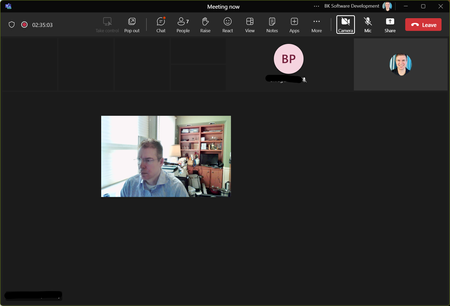
I have no issues using the "old" version of teams. The problem only occurs in the "new" version. In a meeting all incoming video turns black (including shared screens). my image "floats" in the m...

quentar82
Nov 16, 2023Copper Contributor
with the new nvidia driver 546.17 it is fine now for me. i still have the classic teams and the new teams installed. if i join a meeting with preview windows it seems that the error is still there, the little window of my preview remains for 0,5 seconds after i join the call but then it disappears and my picture is there as normal.
still have to test how it behave with screen sharing but camera problem seems to be fine so far.
still have to test how it behave with screen sharing but camera problem seems to be fine so far.

John Twohig
Nov 23, 2023Iron Contributor
I was hopeful when I saw your post so I updated to 546.17 yesterday and as soon as someone shared their screen it froze.
 ArtemAndrusovNov 23, 2023Copper ContributorWhen I updated the drivers and uninstalled classic Teams, it seemed to work at first, so I posted it here too. At least, the video of me doesn't freeze anymore. However, when someone shares a screen everything goes blank - no videos, no sheared screen, only voices. The ugly workaround I figured out so far is:
1. "pop out" the shared content - then I can see at least the content.
2. minimize the window with videos - then I can see at least a tiny video on the speaking person.
If the screensharing stops, the videos do not reappear unless I leave and rejoin the meeting.
What a pain!
I think, the last time I struggled with an image just going dark on a Microsoft product was ages ago when my Trident videocard drivers didn't land well on Windows 3.1 🙂