Forum Discussion

ChananB
Sep 12, 2023Brass Contributor
New Teams - Video freezing
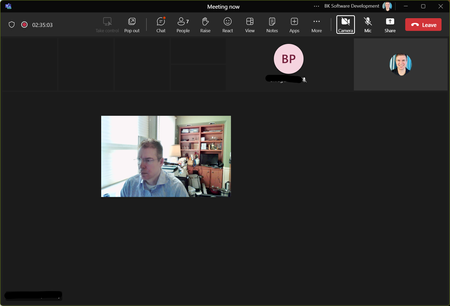
I have no issues using the "old" version of teams. The problem only occurs in the "new" version. In a meeting all incoming video turns black (including shared screens). my image "floats" in the m...

andrewjknox
Nov 09, 2023Copper Contributor
Same issue here. Using Logitech Streamcam & NVIDIA RTX 4070. Video works fine the preview mode inside settings, but as soon as I join a call, my video freezes and I can't see anyone elses video. No issues in previous version of Teams.
andrewjknox
Nov 09, 2023Copper Contributor
Update: Updated my NVIDIA drivers (upgraded to GeForce Game Ready Driver 546.01) with latest from October 31, 2023 and that resolved the issue for me. I'd previously updated them about 1-2 months ago.
 quentar82Nov 09, 2023Copper Contributorgot this driver installed since end of october but it not fixes the issue for me
 karen_dredskeNov 09, 2023Steel ContributorI've had this issue and the solution once I updated to new Teams was to make sure that I uninstalled Teams classic. Once I removed the Classic version of Teams all these issues went away. I think there is some kind of a bug that is causing a problem having both versions of the software on a computer. I've had several colleagues experience the same issues and once they uninstalled Teams Classic everything was fine.
- Caddant64Nov 09, 2023Copper ContributorThank you. So far so good for me, uninstalling classic version. On a call now, and no freezing. There was an initial freeze but, it was very brief and went back to normal on it's own.