Forum Discussion

Missing "Join" button in Microsoft Teams

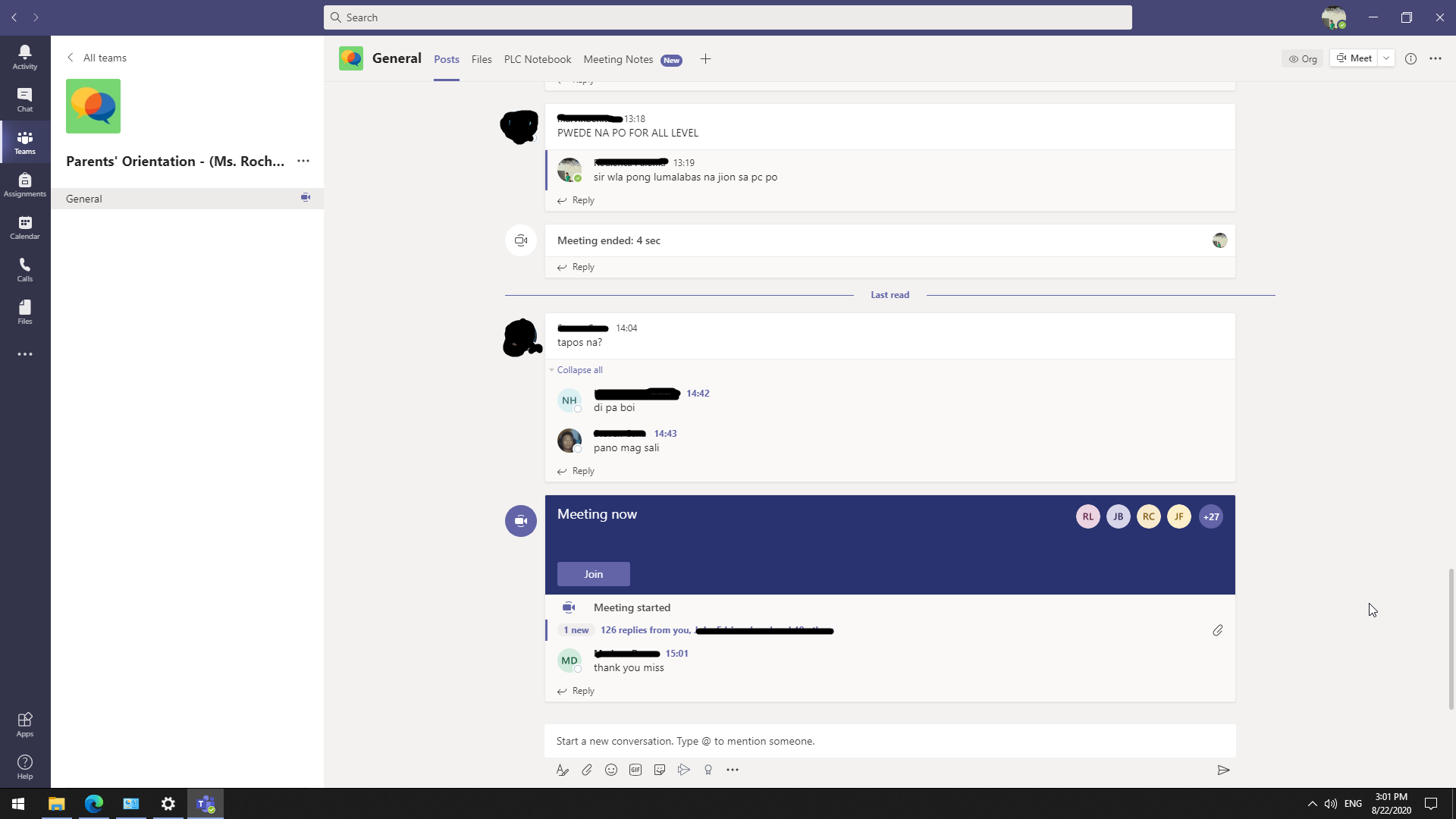

Not sure then. Might be worth looking through some other similar posts to see if anything rings true or helps. I will comeback if I find anything myself also.
It could also be a Teams Outlook Add In issue, I suppose that resonates with an issue seen on a specific machine. So I would check the Outlook version, however that doesn't necessarily explain the web issue or the looping issue, which sounds like an authentication issue.
https://techcommunity.microsoft.com/t5/microsoft-teams/missing-quot-join-quot-button-in-microsoft-teams-calendar-for/m-p/897254
https://answers.microsoft.com/en-us/msoffice/forum/all/join-button-for-meeting-not-showing-for-teams/e24c7dd4-ae56-49c6-95ce-8bff906d34f7
https://techcommunity.microsoft.com/t5/microsoft-teams/no-join-button-teams-outlook-add-in/m-p/1117666
Thanks
Henry

Hello HenryPhillipsNimbitech!
So I've come up with a last resort solution and it's a clean installation of Windows 10 to my neighbour's machine. The "Join" button is now showing and I can also access the web version of Teams.
Thank you,
Elaine
- jagdev0Nov 28, 2020Copper Contributor
hi enrcs_ I am facing the same problem since few weeks. There is no join button and I cant login in the browser version of teams. I have my online classes everyday and I have to request my teacher to add me in the meeting. I am currently using windows 10 and I just wanted to ask how did you fix the problem?
- enrcs_Dec 01, 2020Copper Contributor
Hi, jagdev0. I have fixed the problem by reformatting my neighbor's PC.
You can search in Youtube on how you can do this. I personally followed this Youtube video from Richard Tech https://www.youtube.com/watch?v=OtHZueEZe9s&t=215s. I hope you can fix yours too! 🙂