Forum Discussion

Missing "Join" button in Microsoft Teams

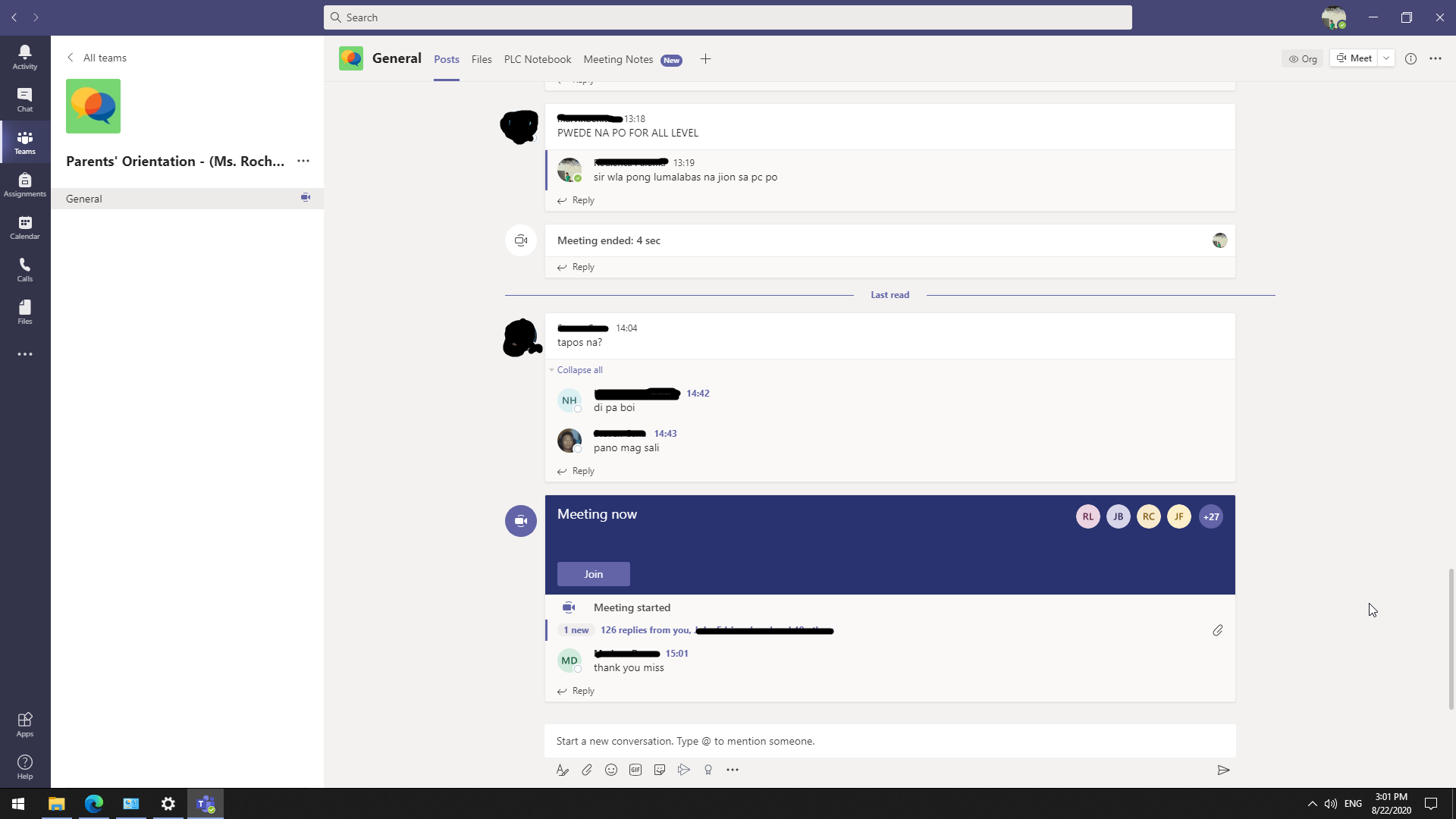

Hi enrcs_ ,
So it looks like a Meet Now meeting bound to a channel from the screenshot. So the first prerequisite which I am sure you have covered off, is that the people needing to join the meeting will need to be Members of the respective Team that houses the Channel that the Meet Now is bound to.
Also with you saying that it works fine with your neighbours account on another device than here own, then all would be well permissions wise.
Which brings us to the problem, of account issue on a single device. So probably more of a device issue as it works on yours.
In the first instance have you tried things like flushing out any cached credentials from Windows Credential Manager or Clearing Browser Cache. Short of doing this, have you tried on your neighbours machine going into an InPrivate browser window and trying from there, that way it should not pick up on any existing stored credentials.
Is your Neighbour by any chance part of any other Teams Orgs?
Also thinking more about this did you say that on your Neighbours device they can see the meeting and are in the channel etc. They just have no Join? But the same account on your machine you do see a Join?
When on your Neighbours machine and if you can see the meeting but not Join, does the account icon in the top right reflect the expected account that has been added as a Member of the Team? I know it is not easy to tell in the Client, but you may have more joy in the browser version.
Thanks
Henry
 enrcs_Aug 22, 2020Tin Contributor
Hi HenryPhillipsNimbitech. Thank you for replying!
"In the first instance have you tried things like flushing out any cached credentials from Windows Credential Manager or Clearing Browser Cache. Short of doing this, have you tried on your neighbours machine going into an InPrivate browser window and trying from there, that way it should not pick up on any existing stored credentials."- I flushed out cached credentials from Windows Credential Manager and cleared the browser cache too. I also tried different browsers. I tried InPrivate browser window and it doesn't let my Neighbour's account sign in for some reason, see attached pictures. (I've tried signing in her account on my machine and it successfully signs in.) I've also tried accessing Teams in http://portal.office.com but it still loops back to "We couldn't sign you in".
Is your Neighbour by any chance part of any other Teams Orgs?- Just one Org.
Also thinking more about this did you say that on your Neighbours device they can see the meeting and are in the channel etc. They just have no Join? But the same account on your machine you do see a Join?
- Yes, they can see the meeting and are in the channel but there's no Join. However, the same account on my machine it does have a Join button.
When on your Neighbours machine and if you can see the meeting but not Join, does the account icon in the top right reflect the expected account that has been added as a Member of the Team? I know it is not easy to tell in the Client, but you may have more joy in the browser version.
- Yes it is the account.
Thanks,
Elaine
- HenryPhillipsNimbitechAug 22, 2020Bronze ContributorHi,
Not sure then. Might be worth looking through some other similar posts to see if anything rings true or helps. I will comeback if I find anything myself also.
It could also be a Teams Outlook Add In issue, I suppose that resonates with an issue seen on a specific machine. So I would check the Outlook version, however that doesn't necessarily explain the web issue or the looping issue, which sounds like an authentication issue.
https://techcommunity.microsoft.com/t5/microsoft-teams/missing-quot-join-quot-button-in-microsoft-teams-calendar-for/m-p/897254
https://answers.microsoft.com/en-us/msoffice/forum/all/join-button-for-meeting-not-showing-for-teams/e24c7dd4-ae56-49c6-95ce-8bff906d34f7
https://techcommunity.microsoft.com/t5/microsoft-teams/no-join-button-teams-outlook-add-in/m-p/1117666
Thanks
Henry- enrcs_Aug 24, 2020Tin Contributor
Hello HenryPhillipsNimbitech!
So I've come up with a last resort solution and it's a clean installation of Windows 10 to my neighbour's machine. The "Join" button is now showing and I can also access the web version of Teams.
Thank you,
Elaine

