Forum Discussion

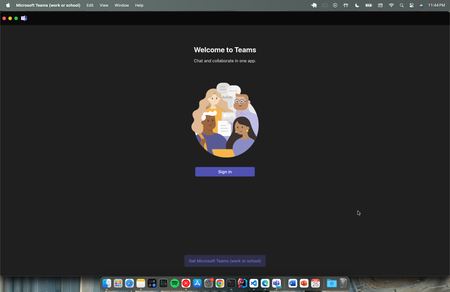
How to get rid of sign in page in New Teams on MAC?
- Feb 26, 2024
Hi Pandu98,
you can try to clear the new Microsoft Teams cache on your MAC and see if the issue still persists:If Teams is still running, right-click the Teams icon in the dock, and then select Quit or press Command (⌘)-Q.
In the Finder, open the /Applications/Utilities folder, and then double-click Terminal.
Enter the following commands, and press Return after each command:
rm -rf ~/Library/Group Containers/UBF8T346G9.com.microsoft.teams rm -rf ~/Library/Containers/com.microsoft.teams2- Restart Teams.

Hi Pandu98,
you can try to clear the new Microsoft Teams cache on your MAC and see if the issue still persists:
If Teams is still running, right-click the Teams icon in the dock, and then select Quit or press Command (⌘)-Q.
In the Finder, open the /Applications/Utilities folder, and then double-click Terminal.
Enter the following commands, and press Return after each command:
rm -rf ~/Library/Group Containers/UBF8T346G9.com.microsoft.teams
rm -rf ~/Library/Containers/com.microsoft.teams2
- Restart Teams.