Forum Discussion

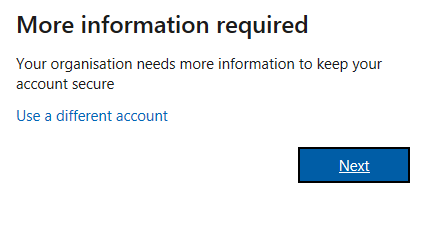
Help! I created a free teams organisation on my personal account and now getting this message.

Hi jenallam
The pop-up you mention "More information required" is the result of the Microsoft "Self-service Password Reset" what looks to be enabled on the Tenant you log on to.
In the normal and automatic procedure what follows after this step: you are asked to provide additional information and is directly validated.
For e-mail: you'll receive an email with the code to confirm
For mobile phone: you'll receive an SMS with the code to confirm.
After the correct codes and confirmation, your Tenant has proper information to provide a Password Reset initiative from you.
Your mobile number and/or email address is stored with your account information of the Domain, and you are not asked again the next login.
If this procedure does not work (proper) i would suggest to try the Teams client or use a completely different Internetbrowser session.
Does this help you?
Kind regards
 ChristianBergstromMay 29, 2020Silver Contributor
DickNoort Well, it could be both. The main thing here though is that it's happening on their Teams free desktop accounts. And these settings (MFA, SSPR) are not enabled in Azure when setting up a Teams free org. So I'm confused. But then again it's difficult to troubleshoot remote. If someone has an answer to this issue please enlighten me!