Forum Discussion

Mainiac144
Jul 14, 2021Tin Contributor
Grid view vs list
Hello everyone we are rolling out "Teams only" and killing Skype. As result we have several users who's view looks different and I cannot seem to fix it. Seems random so far so not sure what is caus...

Mainiac144
Jul 14, 2021Tin Contributor
All users have calling but some (most) users have the grid view some have the list view so I don't think it is only one view.

pedro_salvador_gomes Microsoft
Jul 14, 2021MicrosoftBut in the picture you have posted the design of the web app and the design of the desktop app right? Can you clarify?
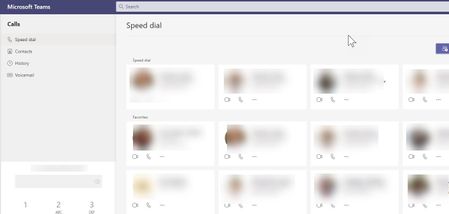
- Mainiac144Jul 14, 2021Tin Contributorweb app is in Grid view which is what we want
when we switch to desktop app no Skype it is stuck on list view. (only some users not all )
I am not sue how we can change the layout. Some versions ago there was a layout icon under settings so we could change it but that is long gone- pedro_salvador_gomesJul 15, 2021In case you want to check a UserVoice and help voting : https://microsoftteams.uservoice.com/forums/555103-public/suggestions/43464798-microsoft-teams-new-calling-experiences
- pedro_salvador_gomesJul 15, 2021Thank you for the clarification 🙂
Even tho, the answer is the same : for the web app its Grid view for everyone. For the newest versions of MS Teams it's the list view and you can't change it. This is now by-design. For the users that you claim are not having the desktop app with the list view it's probably because their MS Teams is not updated. Can you please check with 2 users - one with desktop app list view and other that have another view - and see their MS Teams version to compare?
Did you had the opportunity to check the road map item I have sent you? Everything is explained there too 🙂