Forum Discussion

Vy_Doan
Sep 30, 2021Copper Contributor
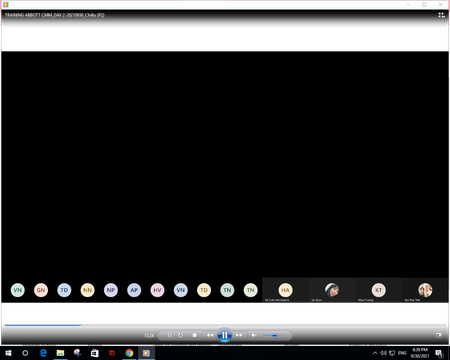
ERROR WITH RECORD VIDEO (AUDIO STILL PLAYS BUT NO IMAGES)
Dear MS Teams, I had a meeting and recorded it. But when it saved after recording, I checked the video again and the video still plays the audio but without images from share screen (powerpoint w...

TammySikma
Oct 15, 2021Copper Contributor
I have been recording a number of meetings successfully over the past couple of weeks in Teams.
In a meeting yesterday, two different participants were screen sharing, but the recording only shows the display from the first. It is very likely that the first sharing participant had the desktop app, while the second was using the web browser.
I organized and recorded the meeting and am currently running:
Microsoft Teams Version 1.4.00.26376 (64-bit). It was last updated on 9/27/2021.
In a meeting yesterday, two different participants were screen sharing, but the recording only shows the display from the first. It is very likely that the first sharing participant had the desktop app, while the second was using the web browser.
I organized and recorded the meeting and am currently running:
Microsoft Teams Version 1.4.00.26376 (64-bit). It was last updated on 9/27/2021.

Vy_Doan
Oct 17, 2021Copper Contributor
TammySikma well I have no idea, during the meeting, screen share is still worked, people still see the every slides of the power point, but when I check the record, just only audio. And I used this many times on web brower and desktop app for recording, this is the first time having this error.