Forum Discussion

Disable tabs creation for users
 Mar 05, 2020
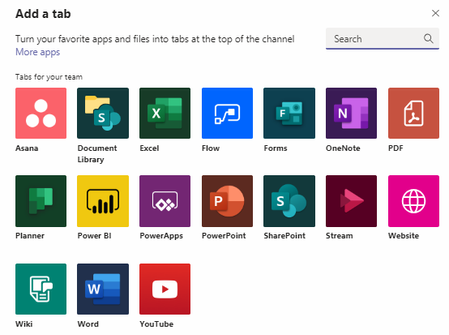
If I understood your question correctly, you can control this by going to the ellipsis next to the team name and choose Manage Team. On this page select Settings, then scroll to Member Permissions. Here you can control what your Team members can and cannot do in your Teams and the Channels of that Team. This does not apply to Team Owners. In the sample image I have attached all the Member Permission are unselected, meaning any members of this Team will not be able to create a channel, add apps, create tabs in channels, etc.
Team Name > Ellipsis > Manage Team > Settings > Member Permissions

If I understood your question correctly, you can control this by going to the ellipsis next to the team name and choose Manage Team. On this page select Settings, then scroll to Member Permissions. Here you can control what your Team members can and cannot do in your Teams and the Channels of that Team. This does not apply to Team Owners. In the sample image I have attached all the Member Permission are unselected, meaning any members of this Team will not be able to create a channel, add apps, create tabs in channels, etc.
Team Name > Ellipsis > Manage Team > Settings > Member Permissions

cynthia_e Is there a way to make that setting default and unchangeable org-wide, for all teams created?
- cynthia_eMar 09, 2020Copper Contributor
You have the option to set up org-wide policies in the Teams Admin portal. Here you can adjust settings for Teams, meetings in Teams and Teams calls. You also have the option to have multiple policies for different groups of people.