Forum Discussion

Chat dialogue missing
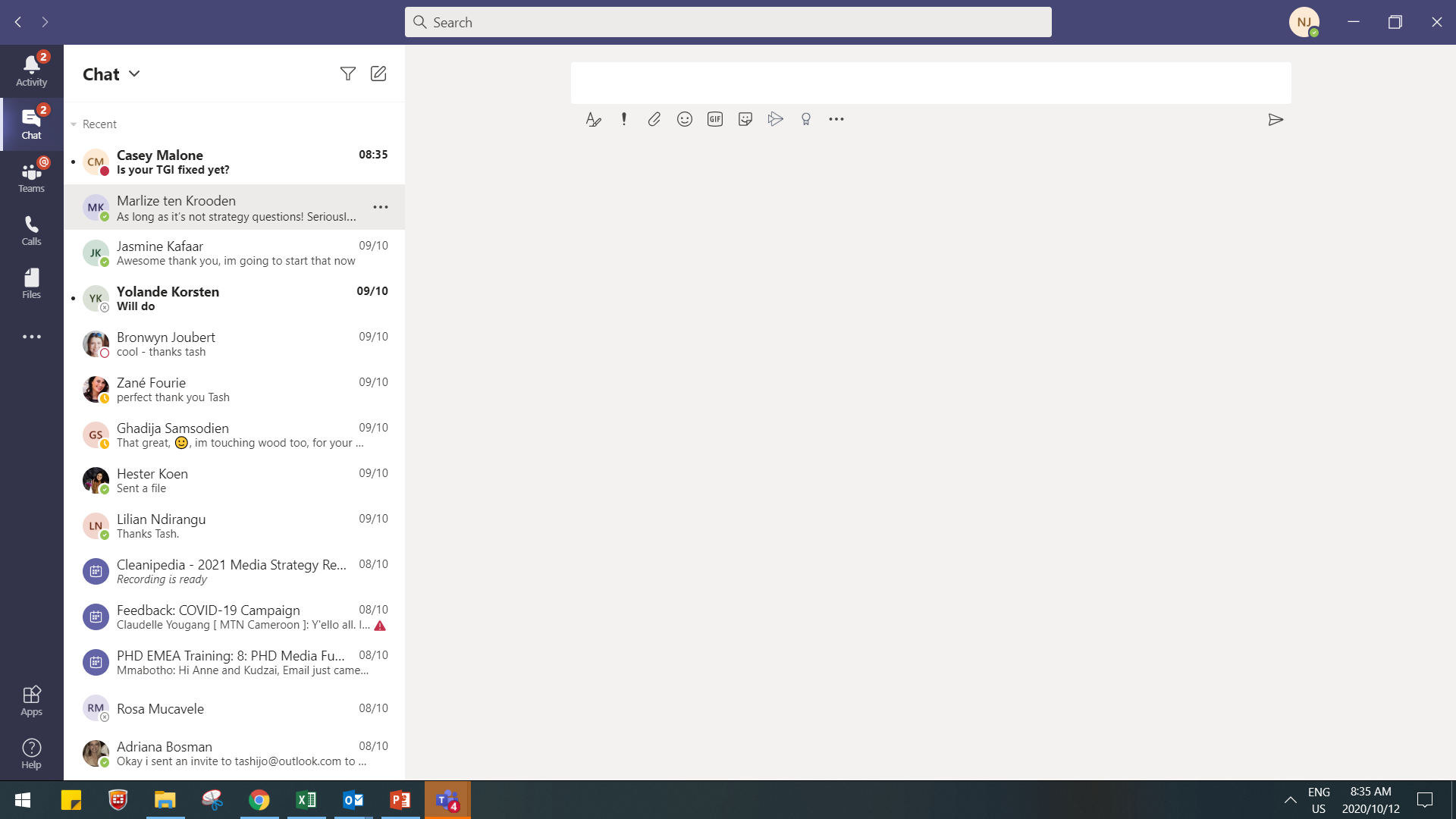
I have accidentally removed my chat dialogue from my teams chats
I can see the dialogue if I pop out the chat, but not if I am just within my chats - I can only see my own text box. Not sure how to undo this
Please help!
3 Replies
- ThereseSolimenoFormer Employee
Hello tashijo Did you hide it? You can unhide it by typing in the name of the person in the chat in the search box.
Hi ThereseSolimeno - Looking at the screenshot, it looks like the chat has not been hidden, rather that when each chat item is highlighted in the left pane, there is no chat history being shown in the right pane - only blank space.
Hi, do you have any idea what you did that caused this? I've not seen this happen before.
Also, does this happen on both the Teams App, and via the browser at https://teams.microsoft.com