Forum Discussion

Bypass Lobby - External
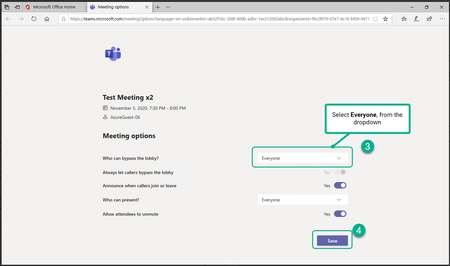

ITbEF Hi the Teams meeting configurations are managed by several policies in the Teams Admin centre. By default all users are assigned the global org wide policy but you can create custom policies and then assign it to individual users or a group that the users already belong to.
These policies can only be created and updated by an Admin user
In the Teams Admin Centre the specific policies you need to look at is the Meeting Policy. You can either update the global org wide policy so the change will impact all users or create a new custom meeting policy with a different the default value for who you want to automatically admit (see screen shot of one of the sections in the meeting policy for admitting users). The new custom policy can then be assigned to the relevant users See https://docs.microsoft.com/en-us/microsoftteams/meeting-policies-in-teams#screen-sharing-mode

I've already adjusted those settings, but they don't appear to have flited though to the end user when creating a meeting. The end user still needs to go into the meeting settings and then change who can bypass the lobby.
Ideally I'd like this to be controlled via admin / update those who are affected.