Forum Discussion

Error when attempting to add a Form to an Excel workbook
We have a user that is receiving the following error:
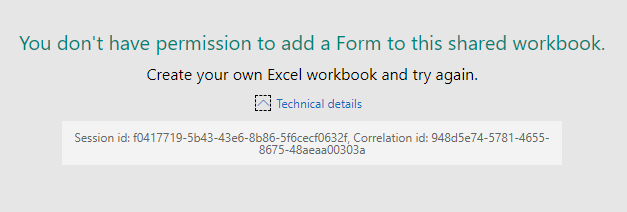
"You don't have permission to add a Form to this shared workbook.
Create your own Excel workbook and try again."
This happens when the user creates their own Excel workbook in a SharePoint site that they own/administer. They are opening the workbook in the Excel web app and choosing Insert >> Forms >> New Form
It's occurring with every Excel workbook.
They have shared the file with me and I am experiencing the same error. It's not happening on files I create, though.
Does anyone have any insight into this error?
RespectandPeace Griefblade mgudites1 gtew234 TheJakes
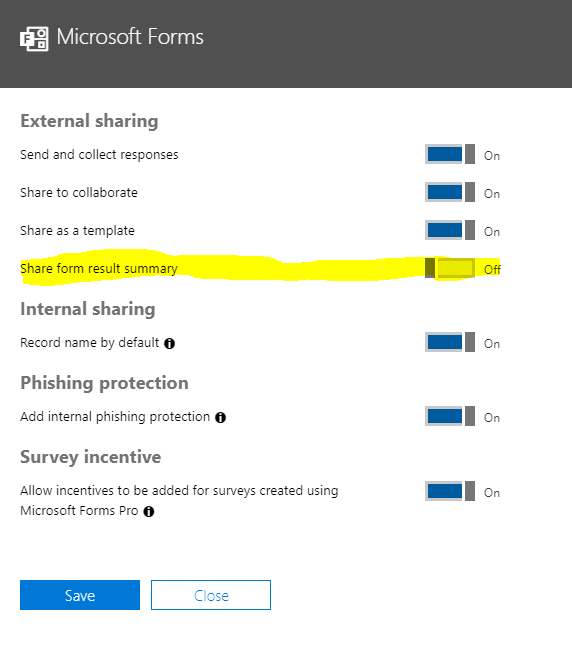
Microsoft got back to me with a fix that resolved this issue for our tenant. In the Office 365 admin center, navigate to Settings >> Services & add-ins >> Microsoft Forms. Toggle On the "Share form result summary" option if it's off (we have every option in here enabled).
15 Replies
 MikePalomaresCopper Contributor
I think this bug is related to the O365 Group linked to the SharePoint Team Site lrc5333
After some testing we found out that if you are not a member of the O365 Group Linked to the SharePoint site or if the O365 linked Group permissions were removed from the site this error shows up
I think this happens because MS forms tries to login to SharePoint using the Linked O365 Group and not the actual account,
So if the Group doesn't have access to the Library, then it will error out,
We still need to do some more testing to prove this theory, but so far, when we re-add the user to the o365 group or we give permission to the O365 group back to the library, it works again RespectandPeaceCopper Contributor
 lrc5333Copper Contributor
RespectandPeace Griefblade mgudites1 gtew234 TheJakes
Microsoft got back to me with a fix that resolved this issue for our tenant. In the Office 365 admin center, navigate to Settings >> Services & add-ins >> Microsoft Forms. Toggle On the "Share form result summary" option if it's off (we have every option in here enabled).
 GriefbladeCopper Contributor
Hi, any feedback you have received on this? I hope a ticket was already submitted for this.
- lrc5333Copper Contributor
GriefbladeNothing concrete yet. I have shared this thread with Microsoft.
- mgudites1Brass Contributor
I don't know if this helps but I was also able to go directly to forms.office.com and create a shared group form for the group in question. Doesn't solve the problem of wanting to have the document placed within the doc library but, for now it's a workaround here. I just put URL shortcuts into the doc library so the team could easily access the form and the 'results' page.
- mgudites1Brass Contributor
Same issue here. Guess it could be global?
 gtew234Brass Contributor
mgudites1@lrc5333 I, too, am having this issue. We were able to create forms from SharePoint a week ago just fine, but now it doesn't seem like it's working on any of our sites and we get the same error: "You don't have permission to add a Form to this shared workbook. Create your own Excel workbook and try again." However, I can create a Form from SharePoint in the default document library (the document library that exists when the site is created, and can't be deleted by default). Is this the case for you too?
- lrc5333Copper Contributor
Hello, TheJakes,
We are still experiencing this issue. I have raised a ticket with Microsoft Support, but have yet to find a solution. I am in the process of having the affected user try different document libraries and different permission settings in SharePoint to see if anything changes. I will update this post if I find a resolution.