Forum Discussion

Error when attempting to add a Form to an Excel workbook
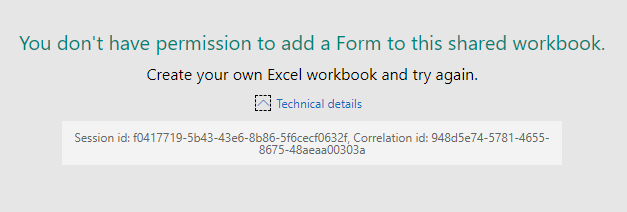
 Jan 29, 2020
RespectandPeace Griefblade mgudites1 gtew234 TheJakes
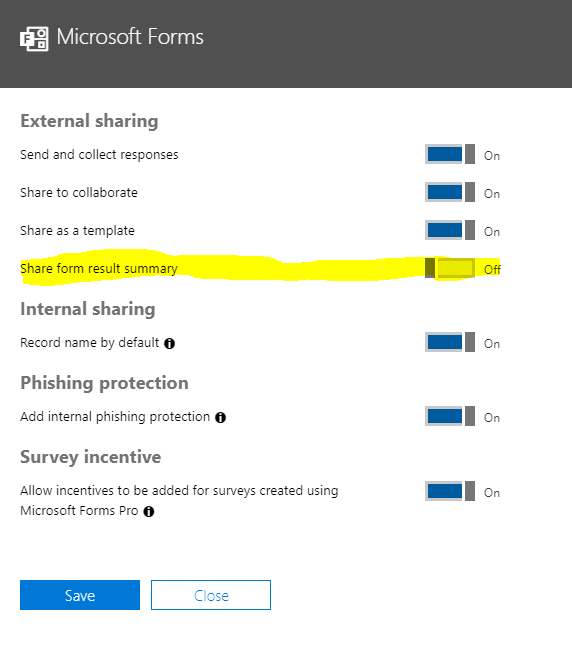
Microsoft got back to me with a fix that resolved this issue for our tenant. In the Office 365 admin center, navigate to Settings >> Services & add-ins >> Microsoft Forms. Toggle On the "Share form result summary" option if it's off (we have every option in here enabled).

I think this bug is related to the O365 Group linked to the SharePoint Team Site lrc5333
After some testing we found out that if you are not a member of the O365 Group Linked to the SharePoint site or if the O365 linked Group permissions were removed from the site this error shows up
I think this happens because MS forms tries to login to SharePoint using the Linked O365 Group and not the actual account,
So if the Group doesn't have access to the Library, then it will error out,
We still need to do some more testing to prove this theory, but so far, when we re-add the user to the o365 group or we give permission to the O365 group back to the library, it works again