Forum Discussion

How to exclude specific machines from Intune compliance policy?
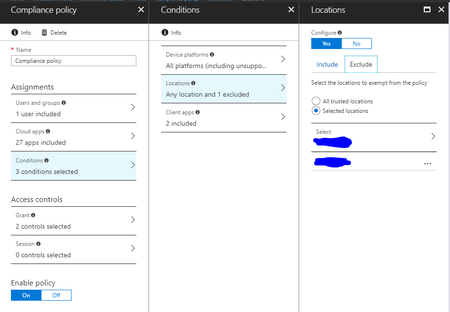
- Mar 08, 2018
Hi Ion,
I totally understand and agree that this would be great to have. User assignment and exclusion of devices. This would solve this problem and many more I think. I don't see any other solution than using device groups in total for compliance policy. Gather your devices via a dynamic group and assign the compliance policy. But there is another side effect if you assign users compliance policies and devices compliance policies. When a user is now target of a policy and his device also, the overall status of compliance policy is not calculated as an logical AND it's an logical OR. let me give an example:
user A -> user policy A
user A uses device A and has device policy B
then it might be like this:
user policy A is evaluated as compliant and device policy B is evaluated as non-compliant. Now because of the logical OR the user will get IsCompliant=True
So mixing is not a great idea. At the moment we need to decide to go for user assignments or device assignments imho. this leads to various restrictions.
Best way imho is to exclude them from the Conditional Access policy...
best,
Oliver


There are a couple of approaches for excluding specific machines from compliance policies:
1. **Dynamic device groups with exclusion** — Create an Entra ID dynamic device group that includes all devices EXCEPT the ones you want to exclude. Use device properties like deviceName, model, or extensionAttributes. Then assign your compliance policy to this group.
Example dynamic rule to exclude by name:
(device.displayName -notContains "KIOSK") and (device.deviceOSType -eq "Windows")
2. **Scope tags** — If you have Intune RBAC configured, scope tags let you segment policies to specific device groups. Devices outside the scope simply do not receive the policy.
3. **Device filters** — When assigning the compliance policy, use a filter to exclude specific devices. Filters evaluate at assignment time and can target properties like device name, manufacturer, model, or OS version.
Example filter rule (exclude mode):
(device.deviceName -startsWith "SHARED-")
4. **Separate compliance policy** — Create a less restrictive compliance policy for the excluded devices and assign it to their specific group. This way they still have some compliance baseline, just different requirements.
I would generally recommend option 3 (device filters) as it is the cleanest approach and does not require managing separate groups.
Hope this helps!