Forum Discussion

AB21805
Feb 20, 2024Bronze Contributor
Blocking USB drives but allowing USB Mouse & Keyboard
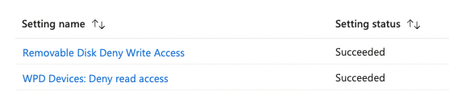
Hi all, Is it possible to block USB drives but allow USB Mouse & Keyboard from intune? I cant seem to get it to work. I have tried enabling the below policies, this stops me writing to the U...
 Feb 20, 2024Hi,
This is what you are looking for:
In Settings Catalog
System > Removable Storage Access
------------------------------------------------------------------------
Removable Disks: Deny read access (User)
Enabled
Removable Disks: Deny write access (User)
Enabled

SebastiaanSmits
Feb 20, 2024Steel Contributor
Hi,
If you have Microsoft Defender for Endpoint licenses you can use the Device Control feature: https://learn.microsoft.com/en-us/microsoft-365/security/defender-endpoint/device-control-overview?view=o365-worldwide&tabs=Removable
We have this running with several customers and works perfect. You can also configure this from Intune by the way.
If you have Microsoft Defender for Endpoint licenses you can use the Device Control feature: https://learn.microsoft.com/en-us/microsoft-365/security/defender-endpoint/device-control-overview?view=o365-worldwide&tabs=Removable
We have this running with several customers and works perfect. You can also configure this from Intune by the way.
 AB21805Feb 20, 2024Bronze ContributorBut which ones are needed to block all USB Drives but allow Mouse / Keyboard and external CD drives (If possible)
- GerardoHernandezFeb 20, 2024Brass ContributorHi,
This is what you are looking for:
In Settings Catalog
System > Removable Storage Access
------------------------------------------------------------------------
Removable Disks: Deny read access (User)
Enabled
Removable Disks: Deny write access (User)
Enabled- AB21805Feb 23, 2024Bronze ContributorThis worked on another device think the device was the issue.