Forum Discussion

Word and Excel stuck in Read and Print mode only
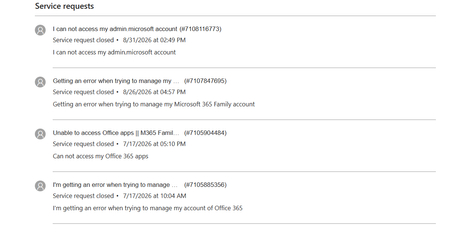

Read-and-print mode in both applications points toward activation, but the separate error on your Microsoft account page means another Office reinstall is not automatically the right next step. Your screenshot includes a trace identifier for that website failure; preserve it with the time it occurred. Compare File, Account in Word on the affected desktop with a working device, including the signed-in account, product name, and activation message. If it has not already been run, use Microsoft's Microsoft 365 activation troubleshooter in Get Help on the affected PC and retain its result. Then ask the existing support case to be reopened with both the activation evidence and account-page failure, explicitly noting the previous escalations and unsuccessful steps. The community cannot inspect or repair subscription provisioning. Keep local documents backed up, and use a working device temporarily. Do not purchase a replacement subscription or delete credentials indiscriminately to test this.
 jbonwellSep 14, 2026Copper Contributor
All the MS365 apps work on my laptop, but none work on my wife's desktop. I have the same issue when I try opening Word/Excel on her machine using my Microsoft account. I'm reluctant to try using her Microsoft account on my laptop for fear of losing my access to 365 apps.
I have screenshots of the website errors when I try accessing accounts.microsoft.com on both our machines with the trace Id. I also have a Robust Office Inventory scan from the GetHelp app.
It's going to take a few hours again with the chat help to get them to reopen the ticket. They always want to go through their entire debug scripts.