Forum Discussion

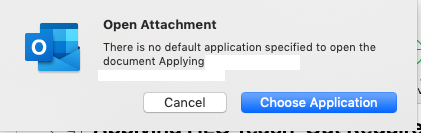
Outlook Mac "there is no default application specified to open document"
 Sep 23, 2020
From Outlook Support for what it's worth:
Appreciate your help in providing information related to the issue you are facing. We have identified this behavior as a BUG and report is already filed with the product engineering team and the issue is under investigation. I understand the severity of the issue and the requirement for the resolution. Since this needs to be tested and the fix needs to be rolled out, we would not be able to provide an ETA on the fix. The details provided by you have been updated to the bug for investigation.
Once the fix is rolled out to any BUG filed with the product engineering team, then it'll be released through updates for Outlook. Hence, keep your Outlook updated. You may refer to the Microsoft blog, where all the updates to the latest features and fixes are announced. Here is the link: https://docs.microsoft.com/en-us/officeupdates/release-notes-office-for-macThey also suggested I keep an eye https://support.microsoft.com/en-us/office/fixes-or-workarounds-for-recent-issues-in-outlook-for-mac-54afa5e3-db38-422a-9d94-3b55330ded8e?ui=en-us&rs=en-us&ad=us.
From Outlook Support for what it's worth:
Appreciate your help in providing information related to the issue you are facing. We have identified this behavior as a BUG and report is already filed with the product engineering team and the issue is under investigation. I understand the severity of the issue and the requirement for the resolution. Since this needs to be tested and the fix needs to be rolled out, we would not be able to provide an ETA on the fix. The details provided by you have been updated to the bug for investigation.
Once the fix is rolled out to any BUG filed with the product engineering team, then it'll be released through updates for Outlook. Hence, keep your Outlook updated. You may refer to the Microsoft blog, where all the updates to the latest features and fixes are announced. Here is the link: https://docs.microsoft.com/en-us/officeupdates/release-notes-office-for-mac
They also suggested I keep an eye https://support.microsoft.com/en-us/office/fixes-or-workarounds-for-recent-issues-in-outlook-for-mac-54afa5e3-db38-422a-9d94-3b55330ded8e?ui=en-us&rs=en-us&ad=us.
