Forum Discussion

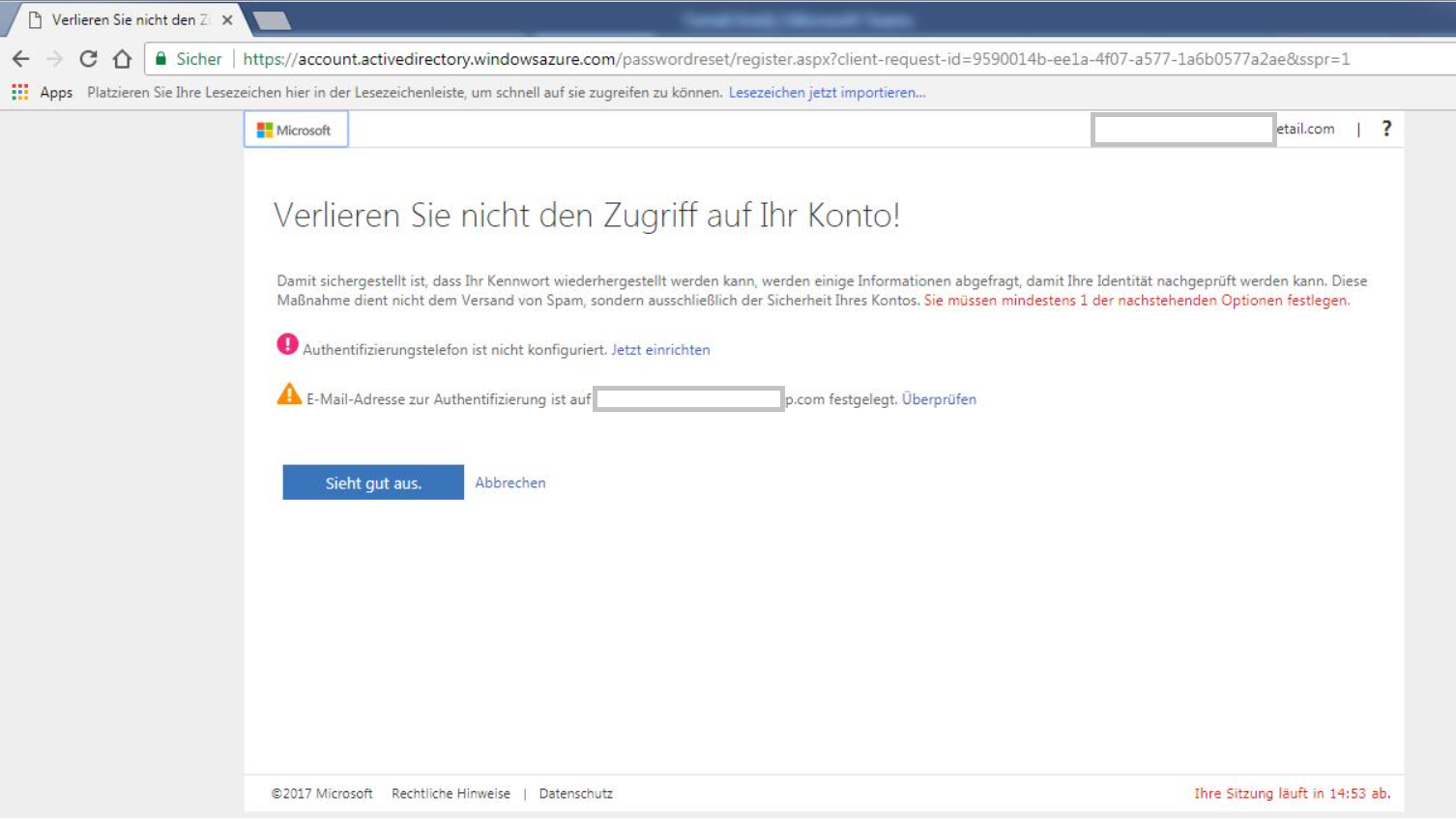
Office 365 user account validation - possibility to turning off
- Aug 10, 2017
Apart from the MFA settings, you need to disable SSPR from the Azure portal -> Azure AD -> Password Reset -> Properties -> choose None under Self Service Password Reset Enabled.
More info here: https://docs.microsoft.com/en-us/azure/active-directory/active-directory-passwords-getting-started

That's not "validation", but gathering information for features such as the self-service password reset, MFA, and more. It's mandatory for admins, and can be toggled for users. You can automatically populate the fields as detailed here: https://docs.microsoft.com/en-us/azure/active-directory/active-directory-passwords-data
 Anna ProcházkováAug 09, 2017Brass ContributorThanks for the information. How can I turn it off for the normal users?
I can't find the settings for turning off in the admin portal Office 365.- VasilMichevAug 10, 2017MVP
Apart from the MFA settings, you need to disable SSPR from the Azure portal -> Azure AD -> Password Reset -> Properties -> choose None under Self Service Password Reset Enabled.
More info here: https://docs.microsoft.com/en-us/azure/active-directory/active-directory-passwords-getting-started
- Anna ProcházkováAug 14, 2017Brass Contributor
Thanks! It seems to be working.