Forum Discussion

How do I apply retention label to a folder in a SharePoint library?
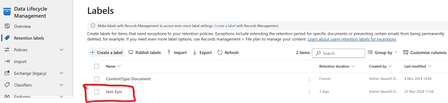

Hi I have tried the Document Link property, it is not working. Here is screenshot from the Label Policy that I am trying to auto apply
Here is the condition
This auto label policy has been published 2 days ago (just that I fine tuned the condition as above, only today). But the Finance folder in the library, isn't getting the auto label ("Indefinite") applied yet
Neither are the files inside this folder getting auto labelled with "indefinite"
The goal is that "if the folder name is Finance, then auto apply the label named "indefinite" to this folder ( and the documents inside this folder). So What is it that I am doing wrong?

Give it some time. Every time you modify a policy it needs to be republished to all workloads, this is not an immediate process. And after publishing, it takes some time to process items.
- vassp1980Nov 28, 2024Copper Contributor
thanks so much. I will wait and check.
But I hope the syntax of the condition is correct below? (If i access this link below, I am directly being taken to the Finance folder, so I know the URL is correct). But it would be great if you can just confirm if the syntax of the whole query as a whole, is correct.
documentlink:"https://psmodernworkplace.sharepoint.com/sites/VasModernWorkplaceTeamsSite/Working%20Documents/Finance"