Forum Discussion

Booking Error Message
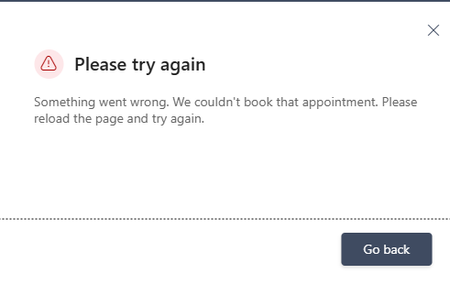

The public page says the appointment failed, yet the event is created in Bookings and Outlook, even in different browsers. Availability probably succeeded and the failure occurs after creation, during the response, confirmation, or notification stage. Avoid repeated production tests because each may create another appointment. Check Microsoft 365 Admin Center > Health > Service health for a Bookings or Exchange advisory. Then create one test service with email, SMS, Teams meeting, custom fields, and follow-up notifications disabled, and book from the direct Microsoft-hosted page rather than an embedded page. If that succeeds, re-enable options one at a time to isolate the failing step. If the error remains, record the UTC time, booking calendar, service, staff member, customer address, and resulting appointment ID. Keep the created bookings and open a Microsoft 365 support request with those details; this inconsistent server response cannot be repaired reliably from the browser