Forum Discussion

Searching multiple text strings in a range of text strings
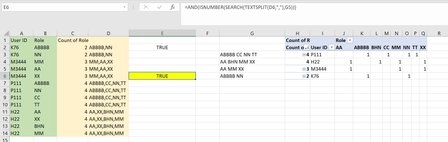
- Jun 06, 2023
MP2522 I updated it to include total # roles in () after their ID

MP2522 I think I get what you want and I have 3 options for you. Both may have better/more efficient ways but these seem to work.
A) A real easy/quick output showing alternative User options for a given role/row (I'm pretty sure this doesn't meet what you need)
B) I output a coverage grid to show how many 'overlaps' each user has so the diagonal shows the total # roles that user has and any other user on that row with that same # would 'fully cover' that user (I used conditional formatting to highlight them in green). I don't think you wanted a grid like this but I think this is useful as it give a lot of information including total # of roles and alternative 2nd choice User options that have nearly all the same roles
C) This is the more direct answer I think you wanted with just a list of users that 'fully cover' each user
 MP2522Jun 05, 2023Copper Contributor
mtarlerThank you very much for the thoughtful reply. I think that gets me very close to where I need to be. In your solution in Columns K-L, is it possible to see who they are covered by who has the most roles? I know my example data is not the best for this because "P111" and "H22" each have 4 roles, but in general, is it possible for count of roles to be involved?
I should have put that in my original post, sorry about that.