Forum Discussion

Date Values and Event Sequencing
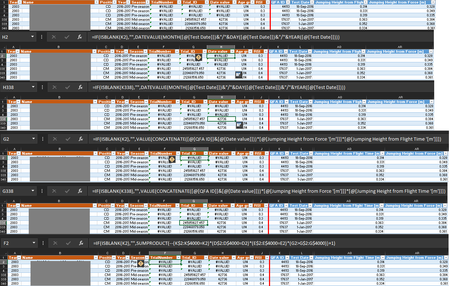

christ7 Hi, I believe it all has to do with the format of the date in the "Test Date" column. You will notice that error only occurs when the day is greater than 13 for example 13/Sep/2017. if you change the date to 12/Sep/2017 then your formula will work.
If you change the formula in the "Date Value" column to be DAY, MONTH, YEAR instead of MONTH, DAY, YEAR then the formula will work, although I haven't checked that you get the correct answer.
 christ7May 08, 2019Copper Contributor
Rich99
Hi Rich,
Thank you for the help with the date values etc.
Yet, in column F (TrialNumber) there's a change in values in some rows even though previous ones are correct (top of the document). This is fitness data where players will do 3 vertical jumps, so the trials should be 1-3. Yet, some players have 4-6 for their TrialNumber, whereas others have 2, 3, and 5. The order goes wrong and random for some players......
Any ideas why this might be? Or any alternative solution?
I've attached the file in here.
Any help is appreciated.
Thank you
Chris- Rich99May 08, 2019Iron Contributor
Hi Chris,
What I did do is copy rows 3506 to 3508 and paste them into a separate spreadsheet (see attached) to make it easier to work out what was happening and as you can see in column F, I came up with totally different figures to what's in your spreadsheet. I am not sure quite whats happening so feel I've got about as far as I am likely to get. Hope this helps and you manage to sort it.
I'll have another look tomorrow but not expecting to understand it better, but you never know
Rich99
- christ7May 09, 2019Copper Contributor
Hi Rich,
Thank you for this. As you say, the formula works in a separate sheet ('Test Data' - attached) but I copy the formula into the existing sheet and it doesn't work. The correct numbers do appear momentarily when pasting the formula, but when it takes a moment to load they switch to #VALUE! and remain like that.
Any last ideas are appreciated.
Thank you
Chris
- Rich99May 08, 2019Iron Contributor
Hi Chris,
What I did do is copy rows 3506 to 3508 and paste them into a separate spreadsheet (see attached) to make it easier to work out what was happening and as you can see in column F, I came up with totally different figures to what's in your spreadsheet. I am not sure quite whats happening so feel I've got about as far as I am likely to get. Hope this helps and you manage to sort it.
I'll have another look tomorrow but not expecting to understand it better, but you never know
Rich99
- christ7May 09, 2019Copper Contributor