Forum Discussion

Auto-populate list on wider selection
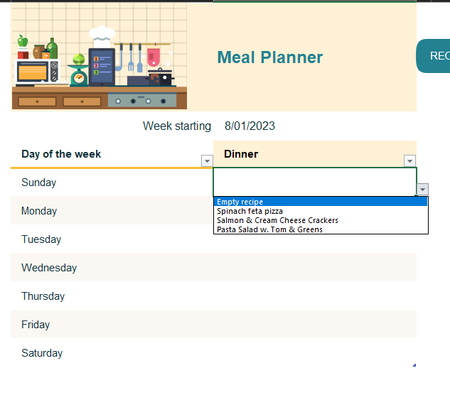

The link to the template would be this:
https://create.microsoft.com/en-us/template/weekly-meal-planner-and-grocery-list-0a470abd-cbab-429b-ad70-7625c8bc6dd9
I have the same problem, if I want to expand the table, the ingreedients of my manually added columns are not schown in the grocery list.

Thankyou
- Riny_van_EekelenAug 20, 2023Platinum Contributor
Lyra1 A typical example of a template that is designed to be used as is or not at all. It's packed with formula's referencing all over the place and the driving force of it is stashed away in three hidden sheets. Then there are tons of named ranges cross-referencing each other.
Tinkering with it required expanding tables in hidden sheets, adjusting named ranges and manually adjust some hard-coded direct references.
Then it proved easiest to expand the planner table to 21 rows (7 breakfast, 7 lunch and 7 diner) and 3 columns (Day, Alternative 1, Alternative 2).
To test this revised version, I created one silly recipe for each category containing only one ingredient. And it seems to work. But see for yourself.
You can hide the three sheets that are not color-coded to avoid accidental changes to them as these would, most likely, break the entire template.
