Forum Widgets
Latest Discussions

Bitlocker key requested on the boot, but I don’t have any key
My laptop (Windows 10, version 22H2, build 19045), that I have been using more than 6 years already, suddenly started asking for the BitLocker recovery key at startup, which is blocking access to the system entirely. What I've already checked/tried: - Checked account.microsoft.com/devices/recoverykey while signed in with my Microsoft account, no key appears for this device. - Contacted Microsoft Support directly, they said they can no longer assist with Windows 10 issues and suggested posting here instead. Is there any way to recover access to this drive?Yann1Aug 02, 2026Copper Contributor122Views0likes3Comments
Configuration Manager manifest synchronization failing since 8 July 2026
Has anyone else experienced Configuration Manager Updates and Servicing synchronization failures since 8 July 2026? We have three independent Microsoft Configuration Manager hierarchies: Test environment Production T0 environment Production T1 environment All three started showing the same SMS_DMP_DOWNLOADER error during the last three days. The affected request is sent to: https://sccm.manage.microsoft.com/SCCMConnectedService.svc/Manifest Configuration Manager builds a hierarchy-specific request containing the Tenant, Version, Ring, and Branch parameters. However, the endpoint now returns only: OK The resulting file is: ConfigMgr.Update.Manifest.cab Size: 2 bytes Hex: 4F 4B Content: OK Because this is not a valid signed CAB file, dmpdownloader.log records: manifest.cab (http response) size is 2 Error in verifying the trust of file ConfigMgr.Update.Manifest.cab' WARNING: Failed to call IsFileTrusted WARNING: Failed to download and verify the manifest.cab. We cant get info in Updates and Servicing mode.rajha1750Jul 15, 2026Copper Contributor132Views0likes2Comments
Moving from Windows Server 2022 to 2025
And by moving I mean stand up a completely fresh Windows Server 2025 as the old server was patched for one too many times. (painfully slow and stuffy) What I figured out so far, is to install Windows Server 2025, and the exact same SQL Server 1:1 to the build # install ODBC v18 update current MECM to the latest and its OS (update other Microsoft products with windows update) go to sites / maintenance tasks and do an export robocopy the "software" folder as is Now next would be to shut down old MECM server, rename new to the old's hostname, and start the "recover site" What my concern is as always "What if" can I at this point or once I set up the new MECM up and running go back by shutting down this new server, and powering on the old (leave and rejoin domain for trust) and go back to business as usual? That if anything goes sideways, or things won't get better. By that i mean speeding up things which is the main reason of the 'move' which now I do not wish to troubleshoot. Our environment, database size is 7.9 Gb, which is far from being big. The reason must be the update over upgrade over update over 15 years or more no and never brand new OS. I can take care of the "how to" I know exactly how to recover a site 'on paper'. I just want to know there's no such thing as point of no return. (when not making a single change in the Db/console) I also understand I should not make any changes in the Db (console) while testing, which is no problem at all. All we use MECM for is staging computers. Nothing else really. Like nothing else at all. PXE. The end. Thanks for the inputs. (I hope I picked the right tags)GabeCzJun 24, 2026Copper Contributor110Views0likes1Comment
Existing required application deployments policy is not sent to devices
I have couple hundred applications in SCCM/MCM that are set to required and whenever there is a new device is built, all these required applications automatically get installed. I am on 2503 and 5 days ago i started seeing this issue. But if modify that deployment with current date and time then the application gets deployed right away if i run Application Deployment evaluation cycle. I also tested by deleting the existing deployment and created a new required deployment and run Application Deployment evaluation cycle then the application installs right away. The problem seems like the Primary server is not sending the policy to the client for existing deployments. The application compliance that we see for every deployment under Monitoring for all the devices moved to Error with Success. Not sure why this is happening. All these changes i noticed in the last one week. A week ago all these Already Compliant and Success status device count is under Success tab. Let me know if you have any suggestions.MCM1Jun 05, 2026Copper Contributor586Views0likes6Comments
Updates Not Installing by Install Deadline
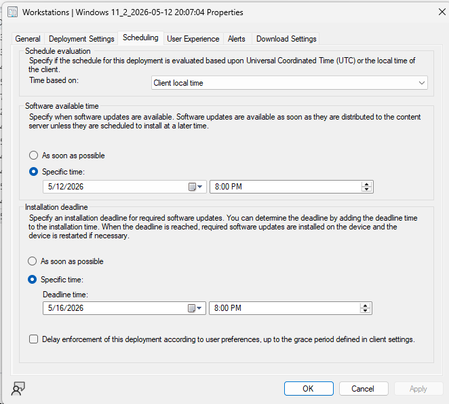
Hello all! We have an organization with about 12,000 Windows 11 Workstations. I'm noticing that even though install deadline is set, and updates are allowed to be installed before install deadline hits, we are noticing in Software Center that updates say "will install after _____" (deadline date). How can I change this? I want updates to install during the maintenance window as well as a reboot. What am I missing? ConnorctowensMay 22, 2026Copper Contributor125Views0likes2Comments
Quick Start non appare su iPhone gestito da ABM
La funzionalità "Inizia subito" (Quick Start) di Apple non appare o non è visibile durante la configurazione di un nuovo iPhone gestito da ABM, Apple ci comunica che la causa del blocco è dovuta a Intune, come possibile che non ci sia una risoluzione a questo problema? GrazieRino71May 15, 2026Copper Contributor116Views0likes2CommentsSCCM PXE Boot Deep Dive – Backend Flow & DP Migration
SCCM PXE Boot Deep Dive – Backend Flow & DP Migration I recently worked on a Distribution Point migration and noticed PXE requests were still routing to the old DP due to DHCP/IP helper configuration. I put together a deep dive explaining: PXE flow (DHCP and TFTP sequence) Role of Distribution Points What changes during DP migration Common failure points One key takeaway: PXE issues are almost always network and routing related, not SCCM itself. Curious how others are handling PXE in large environments. Are you standardizing on IP helpers or still using DHCP options? Full article: http://SCCM%20PXE%20Boot%20Deep%20Dive%20–%20Backend%20Flow%20&%20DP%20MigrationUdayKumarDevarapalliMay 08, 2026Copper Contributor153Views0likes1Comment
Application auto upgrade not working
Hello, I'm trying to deploy applications with auto upgrade but nothing happens. Let me explain what I'm doing : App_V1 is deployed as available to a user collection I install the app, nothing special here App_V2 is set to supersede App_V1 with uninstall checkbox (I need that in my environment) I deploy App_V2 as available to the same user collection with the checkbox "Automatically upgrade any superseded versions of the application" In the software center, I can see App_V2 with the install button (App_V1 is hidden, expected), but nothing else happens If I check the logs, I can see in PolicyAgent.log : A line starting with "Compiling policy <deploymentID>/supersedence..." Then a line starting with "Raising event: instance of CCM_PolicyAgent_AssignmentDisabled...<some assignment info> Nothing else I don't know how to further troubleshoot that situation. Can someone give me some clues ? ThanksalvinflumoxMay 06, 2026Copper Contributor461Views0likes5Comments
Windows 11 and Office 365 Deployment Lab Kit
Hello, I am attempting to setup the most recent version of the Windows 11 and Office 365 Deployment Lab Kit, using the following link: https://www.microsoft.com/en-us/evalcenter/evaluate-windows-11-office-365-lab-kit However, the evaluation periods for Windows Server, SQL, and MECM are all expired once the lab is setup. When can we expect a new version with fresh eval periods? Thanks.NealD85Apr 14, 2026Copper Contributor267Views0likes2CommentsMECM OSD TS Application Installations fail randomly to download content.
We are experiencing a persistent and well-documented issue with MECM OSD Task Sequences where Applications randomly fail to install after the MECM client has been installed. This behavior seems to affect many environments and has been an ongoing problem for years, yet a definitive solution remains elusive. In our case, we have over 30 Applications included in the OSD Task Sequence. Despite implementing all commonly recommended mitigations—such as inserting an additional restart after the MECM client installation and including a two-minute delay before the Application install task group begins—we still encounter random failures. The issue is not limited to any specific Application; it can be any one of the 30+ Apps, and the failure to download appears to occur entirely at random. Occasionally, most of the Applications install successfully, and only one will fail, which subsequently causes the entire Task Sequence to fail with the same error. Importantly, all of these Applications install without any issues post-OSD, further confirming that the problem lies not with the Applications themselves but with the process during the Task Sequence. The randomness of which App fails also suggests an underlying process, feature, or timing issue—not an App configuration problem. We have thoroughly validated all related infrastructure settings: Boundaries and boundary groups have been triple-checked. No boundary is assigned to multiple groups. Site system assignments are correct. We are using PKI certificates and HTTPS, and the client authentication certificate is present on the device at the time of failure. The issue has been replicated across both Windows 10 and Windows 11, ruling out any specific cumulative updates or OS version anomalies. No additional language packs are being installed—only language fallback is applied via the "Apply Windows Settings" step. One suspicious observation is the lack of any reference to our local Distribution Point in the LocationServices or CAS logs during failure events. Initially, this pointed to a possible boundary misconfiguration, but after multiple checks, no issues have been identified. Unfortunately, we are unable to use the common workaround of converting Applications to Packages, due to internal policies and deployment requirements. Therefore, we need to resolve this while continuing to use Applications in the Task Sequence. Given the number of years this issue has persisted across customer environments, it's surprising there isn’t more formal guidance or documentation available to help isolate the root cause. If anyone has encountered a similar scenario or has any advanced troubleshooting tips, we would greatly appreciate your insight.TechKngApr 14, 2026Copper Contributor389Views0likes2Comments

Tags
- cm current branch50 Topics
- Operating System Deployment20 Topics
- software update management15 Topics
- Site Setup and client deployment10 Topics
- App Management8 Topics
- general7 Topics
- SCCM7 Topics
- cloud-attached management6 Topics
- security and compliance6 Topics
- endpoint protection5 Topics