Recent Discussions

Cannot find video uploaded to Clipchamp
I uploaded an mp4 file to ClipChamp at work. The upload was successful. I uploaded the file to C:\Users\epizana\OneDrive - SBCTC\Videos\Clipchamp The upload was successful. I can see the mp4 file in the Clipchamp folder. However, I cannot find it in the list of Clipchamp videos. I never had this issue with Microsoft Stream. I could find my uploaded video instantly. It just worked. Any advice how I can find my uploaded video? This is not my personal laptop. I am using this at work. Thanks, Enrique15Views0likes0CommentsIs there a native solution for clipchamp compression?
I have always found clipchamp easy to work with. It's interface is intuitive to me, and the features do anything I need. So, generally I like it... but the one fatal issue I have with it, is the videos it produces are so ridiculously big. I literally just made a post for TikTok and it's 293MB in size. I compressed it with a free only video tools site, and after compression it's just 6MB. I could deal with it if it was like 50% bigger or maybe even 100% bigger... but these videos are just huge. Maybe Microsoft has addressed this and I don't know about it... so if there is a solution, please let me know. Otherwise, I am not sure how to proceed. I like to keep a copy of all my videos as I make them, but its hard to do when they are so ridiculously oversized.37Views1like0Comments
Clipchamp Help
Since the move to OneDrive Clipchamp has been a nightmare. Starting today the preview video screen crashes almost instantly on both the desktop and web app. I've reinstalled, repaired the app and reset the desktop app and still get the same issue. I am guessing this is a MS problem since its happening on both the web app and the desktop?69Views1like1Comment
Auto-caption Not working [stuck at 99%]
I’m having an issue with Clipchamp’s auto-captions/transcription feature. Since yesterday, it gets stuck at 99% while creating the transcript and never finishes. I already tried multiple accounts, including both personal and work accounts, and I also tested different files and different speech languages such as English and Japanese, but the same problem still happens. I created a new project and tried exporting/reimporting as a workaround, but the issue remains. Could you please check whether this is a service problem, a bug, or a change in the free plan?85Views0likes0Comments
Sharepoint Playing a video showing as Clipchamp
Hi All, Up until about a month ago, our teams were able to play a video by double clicking on it in there sharepoint home page. Today, I have the entire team not able to play the video. The error they are getting is "This video is not supported for playback.” The permissions haven't changed for the site access, it is not using AC3 for audio or HEVC/H.265 for video. It is an MP4 video, under 125mb, and 1280 x 1020. I have tried the suggestions in this thread, but they didnt work - https://learn.microsoft.com/en-us/answers/questions/5541267/video-in-sharepoint-will-not-play If I download the video it works, If i switch to classic SharePoint, it works. Any suggestions? Thanks Mike372Views0likes2Comments
Clipchamp is broken
Since 21.01.2026 I have had a range of problems with Clipchamp. Transitions menu as well as Effects not showing. Can't use either feature. Repair and reset did not resolve the issues. At times I get an error Code when opening a project that transitions for clip not valid. Neither the WEB nor the APP are working properly. I am on latest window 11 - all updated - Clipchamp is on the latest built. Does anyone at MS have any idea when this feature is fully up and running.705Views1like2Comments
Filters + Effects broken due to 404 error at API endpoint
I first experienced this issue last night Jan 22nd around 8pm EST (Jan 23rd around 01:00 UTC) This morning, about 13 hours later there is still the same issue. The problem: The 404 Error in the network tab: Payload (appears to be gathering Filters): Templates (which I don't use) are also busted. Would hope this is a P0 for the team. Really enjoy the application, especially the OneDrive integration. Cheers!112Views0likes0CommentsPlease Microsoft, just stop...
I get that you are trying to improve features and be more "advanced" than the competition, but you're just hurting yourself and us. You have (or had) such AWESOME applications, but now, none of them really function as well as they did before, so i say this from the bottom of my heart, stop, just stop, for the love of god, stop. You never know how productive doing "nothing" can be...81Views1like0Comments
Clipchamp app not functioning properly — transitions panel blank & frequent crashes
Hi everyone. Is anyone else experiencing ongoing issues with the Clipchamp app? All my settings and system requirements are correct, but the app still doesn’t function properly. I’ve been reporting this since December last year with no resolution. The main problems are: Frequent “Clipchamp has stopped working” errors Sidebar tools (especially Transitions) appear completely blank Projects often fail to load or get stuck on the loading screen Features intermittently fail to load even after restarting or reinstalling I’m a paying customer, and this is seriously affecting my workflow. If anyone has found a reliable fix or if a Microsoft engineer can advise, I’d appreciate it. If you want, I can help you add screenshots, adjust the tone to be more assertive, or tailor it for a technical audience.814Views2likes4Comments
Cannot auto-generate chapters
Is anyone else experiencing inconsistency with the auto-generated chapter feature in Clipchamp? I have found that the auto-generated chapter and timecodes are really helpful when summarizing videos for people. But now I'm finding I have to do it manually. Some videos, like the ones where I have one or two attendees, do offer the feature. But I just recorded a video with four contributors and there was no option to auto-generate chapters. I'm posting in the community here because I've followed all of the recommended troubleshooting steps. I do have the ability to edit the files. I'm viewing in sharepoint (not the Clipchamp editor) and I've tried moving the file from my OneDrive to my company Sharepoint. Still, no luck. Any insight would be very helpful as I'd love to use this feature for more videos going forward.131Views0likes0CommentsI can't add .vtt subtitle to my video on Onedrive.
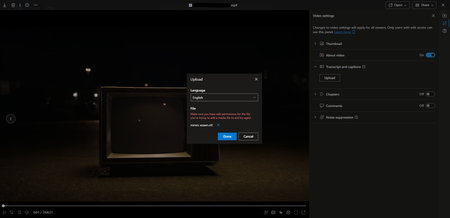
Hello! I need some help about this issue, because I don't know what's going on. I'm the owner of my Onedrive, and all the files, I have all the permissions, but every time I try to add a .vtt file I get this error. The subtitle is fine, I tested it already, so I don't know what's the problem here.173Views1like0CommentsSharePoint chapters are no longer working
Hey guys. We are experiencing troubles with the chapter system in one drive SharePoint. For about 2 weeks now, chapters are not visible to users who open the video. This is an issue for everyone who open it through "Anyone with the link" permission and does not happen for members of the organization. This is quite bad as we are really counting on sharing videos with members outside of the organization and the chapters are really needed for the work we are doing. I hope to get some update on when we can expect the chapters to be working again. Cheers!295Views1like1CommentSharing a Video from Stream using Anonymous links doesn't allow users to download video
Hi, Download button disappeared again from the Stream view of the video when it is shared via Anonymous link using Can view Setting. Can view setting also wrongly presents the description as: Anyone with the link can view but can't download which in essence is true but it shouldn't be true for the Can view setting. When I switch to Can't download and Apply it and then go back to the link settings and choose Can view, I get the correct description: Anyone with the link can view. However, when opened, the video still doesn't have the Download button. Marc Mroz is this planned shift in regard to Stream revamp or just a unintended side effect - bug? Thank you for the effort.504Views3likes2Commentshardware encoder to create content for Stream
has anyone tried using hardware encoders (e.g. Matrox, Epiphan, AJA) to generate content for Stream? context: HE institution trying to design system to record videos within multiple rooms/venues, sending content directly to users' MS accounts, ready for editing/viewing within Stream.97Views0likes0CommentsStream to Clipchamp Rebranding is Rolling Out Now
In a Targeted Release tenant, we just started to see the Stream web player be rebranded to Clipchamp today. There hasn't been a Message Center post about the rest of the rollout, what happens to "open in Stream" for meeting recordings, etc. but thought I'd put this out there for other customers to get prepared now for this change. More about the change that was announced in November but not other updates since then.1.4KViews1like1CommentAudio problems for professional created videos
Hi everyone, i am working for an IT department and received the following incident. I wanted to bring up an issue we've been experiencing with the audio quality of board videos when played on SharePoint. Locally, the videos play perfectly fine, but once uploaded to the SPO, we notice frequent clicking sounds that significantly affect the audio quality. Details: The audio issues seem to occur randomly and are not consistent across all videos. We are following the rules for encoding - Video formats you can play on Microsoft 365 - Microsoft Support MP4 1080p - 5Mbps, Audio AAC 192Kbps - Encoder is Adobe Premiere If you download the file locally there is no clicking - it is only in the Streaming web player Has anyone else experienced similar issues with the web player and .mp4 files? We would appreciate any insights or suggestions on how to resolve this issue. Looking forward to any advice from the community. Best regards Stephan1.9KViews7likes16CommentsVideo Error CDN?
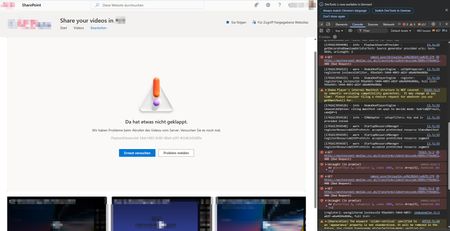
Hello Video Community, a video cannot be played. Deleting cookies does not help. According to the developer tool F12 in Chrome, error messages come from suspected CDN's. GET 400 Bad Request https://westeurope1-mediap.svc.ms/transform/videotranscode/8889cff9eb011943565d1b48801ea96ac9a... [Report Only] Refused to frame 'https://login.microsoftonline.com/' because it violates the following Content Security Policy directive: “frame-src ‘self’ https://support.office.com https://webshell.suite.office.com/ *.cloud.microsoft”. This video runs a little better in Microsoft Edge, but the error message still appears at some point. Is there a solution here?253Views0likes0CommentsHow do I create a link to a video page that does not break if the file is moved in the site?
If I use the share button, it creates a link with an absolute path. The links break if the video is moved, even in the same site. You can use the document ID method but those links go direct to the mp4 file, and not to the page. Surely I can create permanent links to video pages.100Views0likes0CommentsConsistently Poor Video Quality (Auto) Despite Very Fast Speeds
Hi. I'm seeing about 16 Megabytes / second internet speed when I run a internet speed test. According to the test: Your Internet connection should be able to handle multiple devices streaming HD videos, video conferencing, and gaming at the same time. Despite this, when I upload a 1080p video to Stream and when I hit the play button, it consistently auto plays at the lowest resolution (at most 480p, but typically 240p). I've tried encoding the video file multiple different ways, including at a low bit-rate (1 Mbps) and a very high bit-rate (40 Mbps) but it never auto plays at 1080p or even 720p. If I click on some point in the play bar while the Quality is set to "Auto", it will adjust based on bandwidth and begin playing the video back at 1080p. And obviously, if I manually change the playback quality to HD, it will play the video in HD. But my viewers don't necessarily know this hack. From their perspective, they hit the Play button and the video just looks crappy and it's a terrible user experience. Why, if our internet speeds are considered very fast, does Stream automatically play an HD video at 480p or 240p? Why does it take me either manually changing the quality or clicking somewhere on the play bar to change the Quality settings and make the video playback at HD?578Views1like0Comments



Events
Recent Blogs
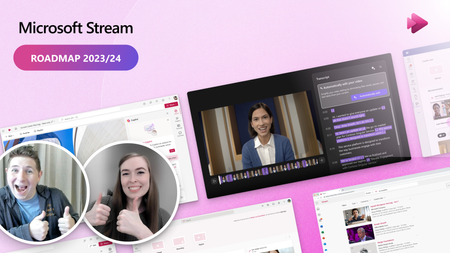
- Microsoft Stream makes it easy to quickly create and share videos at work or school. Here are six ways you can get the most out of video.Jan 31, 20245KViews0likes0Comments
- The future of video at work is bright and promising. Today, Microsoft Stream is introducing new experiences that put video into the flow of your everyday work.Nov 15, 202345KViews0likes4Comments
Tags
No tags to show