Forum Widgets
Latest Discussions

Offboarding mailboxes fails with “PropTagToPropertyDefinitionConversionException.”
Hybrid M365 setup, just recently upgraded the on-prem server from Exchange 2019 to Exchange SE. After doing so, migrations from Exchange Online back to Exchange On-prem fail at 10% with the error “PropTagToPropertyDefinitionConversionException.” I opened a case with M365 exchange support, and after some time, they came back to tell me that the Exchange Online portion of the process is not at fault, and that I have to engage the on-premise support team (this seems a little nuts to me, as its all connected and all supported, but I've been in this business for 30 years now, and it's not the first time I've seen buck-passing), and/or ask this community for help. Hence, this post. That error appears exactly two places on the internet, as far as I can tell: a blog (in German) from an Exchange expert doing cross-tenant migrations, and a page at https://west.jcteams.info/bhit11/docs/EX1232513.html that seems to describe my exact issue. Neither had useful suggestions - mostly, they say this: Set-MoveRequest -Identity "<UserPrincipalName>" -SkipMoving FolderRestrictions Resume-MoveRequest -Identity "<UserPrincipalName>" That didn't actually work, but when I tried the same parameters with Set-MigrationBatch, they worked as long as I ignored the message "The SkipMoving parameter is deprecated. Use the MoveOptions parameter instead. If you have any scripts that use the SkipMoving parameter, update them to use the MoveOptions parameter." So what was a simple process is now a more cumbersome workaround. Does anyone have an idea on how to troubleshoot "PropTagToPropertyDefinitionConversionException?"ba50992May 12, 2026Copper Contributor163Views0likes0Comments
About Command Return Values
When I ran the following command in PowerShell, it used to return an `Object` type, but recently it has started returning a `System.Collections.ArrayList` type. Does anyone know why this is happening? ------------------------------------------------------------------ $dg = Get-DistributionGroup -Identity "Group Name" $dg.AcceptMessagesOnlyFromSendersOrMembers.GetType().FullNamedaisuke1May 11, 2026Copper Contributor58Views0likes1Comment
Exchange on-prem license
Hello, I have installed ExchangeServerSE x64 iso file its in trial version i want to license it. What kind of license do i need? I have the following information from the EAC: Version 15.2 (Build 2562.17) Standard Trial Edition Trial and from powershell: Edition : StandardEvaluation AdminDisplayVersion : Version 15.2 (Build 2562.17) Since i've installed the ExchangeServerSE x64 is this the correct license i should require? Exchange Server Subscription Edition (SE) license 5 × Exchange Server Standard CALs (one per user/mailbox) Environment details: Exchange version: 2019 (Version 15.2) Number of mailboxes: 5 Is this valid and the correct license? Kind regards, Filip MFilip77May 04, 2026Copper Contributor104Views0likes2Comments mkanaanMay 03, 2026Copper Contributor243Views0likes1Comment
Gmail to Microsoft 365 Migration Issue Open for 7+ Days – Seeking Guidance or Escalation Path
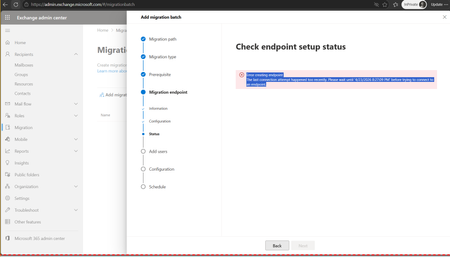
I’m facing an issue with a Gmail to Microsoft 365 migration that has been open for more than 7 days, and I’m looking for guidance or an escalation path from the community. Scenario: Migration type: Gmail to Microsoft 365 Issue started: April 22 Current status: Stuck with no clear resolution What’s happening: The support ticket has been active since April 22. However, the updates I’ve been receiving are generic responses such as “we are working on it” and “this has been prioritized.” Despite multiple follow-ups, there has been: No clear root cause identified No ETA provided No technical breakdown of the issue I also requested a callback from the assigned manager and technical lead to better understand the situation, but the communication has remained email-only with repeated status updates. What I’m looking for: Has anyone faced similar issues during Gmail → Microsoft 365 migrations? Are there known blockers or common causes that could lead to this kind of delay? What is the recommended escalation path when support is unable to provide technical clarity or ETA? Any insights, workarounds, or guidance would be highly appreciated. Thank you in advance.202Views1like1CommentCross Tenant Migration licensing
Hello, I'm planning a native cross-tenant migration for several shared mailboxes that have archives enabled. I’m looking to confirm if it is necessary to temporarily convert these to user mailboxes in the source to ensure the archive data migrates successfully. Also, what specific licenses should I assign to the target objects specifically, do I need to provide an Exchange Online Plan 2 plus the Cross-Tenant User Data Migration add-on for each shared mailbox? If anyone has handled archived shared mailboxes recently, I’d appreciate a quick confirmation on the cleanest licensing and conversion steps. Thank you in advance ! :)IT_BeeMay 01, 2026Copper Contributor80Views0likes0CommentsExchange Online to Deprecate Legacy TLS for POP3 and IMAP4
Microsoft will start to refuse inbound IMAP4 and POP3 client connections using legacy TLS versions (1.0 and 1.1) in July 2026. The move is consistent with other projects to remove obsolete or insecure email protocols from Exchange Online to increase the overall security of the online email service. In this article, we examine some methods to understand the POP3 and IMAP4 usage within a tenant. https://office365itpros.com/2026/04/29/legacy-tls-removal/80Views1like0Comments
Hybrid Exchange 2019 move to M365
Dear All, I am asked to move/ migrate the existing Hybrid Exchange to M365. All mailboxes are located in M365. MX Record is pointing to the third-party spam filtering company which we are not too sure either stay with them or not. My next concern is the Send and Receive connectors. has any one of you done similar task like this? any help or document/ link would be much appreciated. RegardsDzung VuApr 28, 2026Copper Contributor98Views0likes3Comments
Exchange 2016 Decommission
Hi all, I am trying to decom my 2016 environment and cannot disable (Disable-Mailbox) the final 16 mailboxes (out of thousands). Am getting the error Active directory response: 00002098: SecErr: DSID-03150A45, problem 4003 (INSUFF_ACCESS_RIGHTS), data 0. I have been troubleshooting this for HOURS now. It's not enabling inheritance on the user perms (every article suggests that). The perm exchange trusted subsystem isn't there. The users do not have any admin groups. It's nothing that I can find in the first 6 pages of googling. Sadly, of course, there is no support anymore so can't even raise a ticket. Can't uninstall Exchange with mailboxes left :( Any idea's are more than welcome, please. Thank you.JonnyShaw1Apr 27, 2026Copper Contributor94Views0likes2CommentsPermission activesync on smartphone
Hi everyone, when you grant the permissions in question to manage company email from a smartphone, do these permissions, in addition to Remote Wipe, Password Enforcement and Device Encryption (I remember these as the main ones), somehow give the Exchange administrator access to my personal data? For example, photos, any documents saved on the SD card or on the smartphone itself? Thanks in advanced!AnonymousForeverApr 26, 2026Copper Contributor19Views0likes0Comments

Tags
- exchange online2,619 Topics
- Exchange Server2,378 Topics
- office 3651,262 Topics
- hybrid920 Topics
- outlook790 Topics
- 2016764 Topics
- admin706 Topics
- 2013281 Topics
- 2010162 Topics
- 201983 Topics